Beyond Deflection: How AI Actually Helps Support Teams Work Smarter
Published on
September 4, 2025

90% ticket deflection!" sounds impressive, until you realize it's missing the point entirely. In our race to reduce support tickets with AI, we've forgotten what actually makes customer support valuable in B2B – helping users get important work done. We've watched this play out in companies everywhere, and the most successful ones aren't focused on deflecting tickets at all. They're using AI to understand why their power users rarely need help in the first place, creating experiences so natural that support becomes almost invisible. - Daniel Kimber, CEO, Brainfish
"90% ticket deflection!"
I cringe every time I see this metric in a sales pitch. Sure, it's possible, but if your AI is handling that many support tickets, you're probably getting too many tickets in the first place.
That's the costly blind spot in how we think about AI support. We've become so obsessed with deflecting tickets that we've forgotten what actually makes support teams effective.
Let me share what I've learned from watching this play out in companies everywhere.
Picture this scene playing out in B2B companies everywhere: A CX leader closes their laptop after yet another AI demo, that familiar mix of frustration and skepticism washing over them. The sales deck was filled with impressive automation stats and ROI calculations.
It's a story we've seen countless times. Support leaders sitting through demos that treat B2B customer support as if it's the same as helping consumers track a package or find the right shirt size. But enterprise customers aren't just looking for quick half-baked answers – they're trying to get important work done that impacts their entire business.
One CX leader said it perfectly: "Deflection isn't resolution."
The Hidden Cost of Measuring the Wrong Things
Here's what fascinates me: When you dig into companies with the highest customer satisfaction scores, you often find something counterintuitive. Their most successful customers don't have low ticket volumes because they never need help – they're actually power users. They've just figured out how to get value from the product naturally.
This reveals something crucial about how we should be using AI in support. Instead of building walls to deflect tickets, what if we used AI to understand and replicate what makes these customers successful?
The best support professionals already think this way. As Jim Smith, a veteran Customer Success Leader who's spent years studying this, points out: "The best support reps don't take the customer's question at face value, they take a step back and understand the why."
Rethinking What "Good" Looks Like
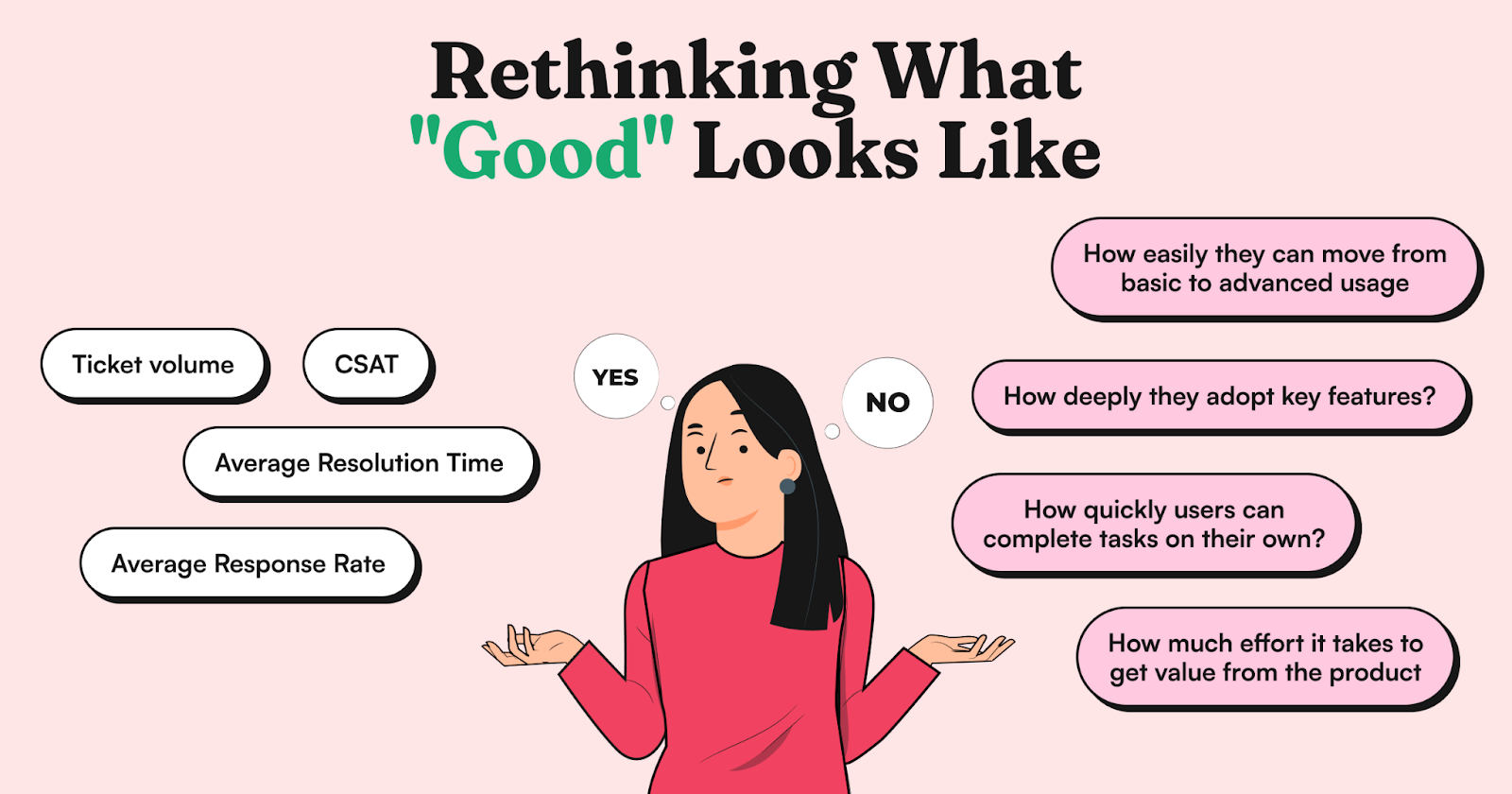
"We've been measuring the wrong things for years," Kristi Faltorusso, CCO at ClientSuccess, mentioned recently. "Ticket volume, Average Response Rate, Average Resolution Time, even CSAT – they only tell part of the story."
When support teams shift their focus from deflection to success, they start seeing different patterns. Take Smokeball's experience: they achieved an 83% self-service rate not by aggressively deflecting tickets, but by making their product naturally easier to use and giving their support team tools to spot and solve systemic issues.
The metrics that actually matter?
- How quickly users can complete tasks on their own
- How deeply they adopt key features
- How easily they can move from basic to advanced usage
- How much effort it takes to get value from the product
What Natural Support Actually Looks Like
Think about the last time you used a well-designed product. You probably didn't even notice how it guided you, adjusted to your needs, and helped you discover new features naturally. No chatbot walls, no frustrating deflection attempts – just smooth, intuitive progress.
This is what modern AI support should feel like. As James Pavlovich from Straumann Group puts it: "These solutions go in and you put up walls to get to a person... nobody thinks about the customer's perspective – they've spent 10 minutes trying to get past this wall of chat bots, getting more frustrated with each interaction."
The best implementations focus on three things...
Seeing the Whole Picture: Instead of treating every question as an isolated ticket to deflect, AI can spot patterns and connect dots across your entire user base. Another CX leader put it perfectly: "This is where AI can help. Give support reps some historical support context and relevant usage data on the spot so they're armed with the intelligence where they don't have to rehash most of the past."
Prevention Over Deflection: Jenny Eggimann, Head of Customer Success, discovered this firsthand: "We chose this approach because the analytics and user journey reporting showed us exactly where users might struggle before they ever needed to ask for help."
Natural Learning: Yaniv Bernstein, a startup COO & Co-Founder, found that the right approach can transform team efficiency: "With other options, we would have spent countless hours familiarizing ourselves with the tool. Instead, we were able to tap into our existing knowledge base and boost our customer service efficiency with almost no initial setup."
The Future Isn't About Fewer Tickets
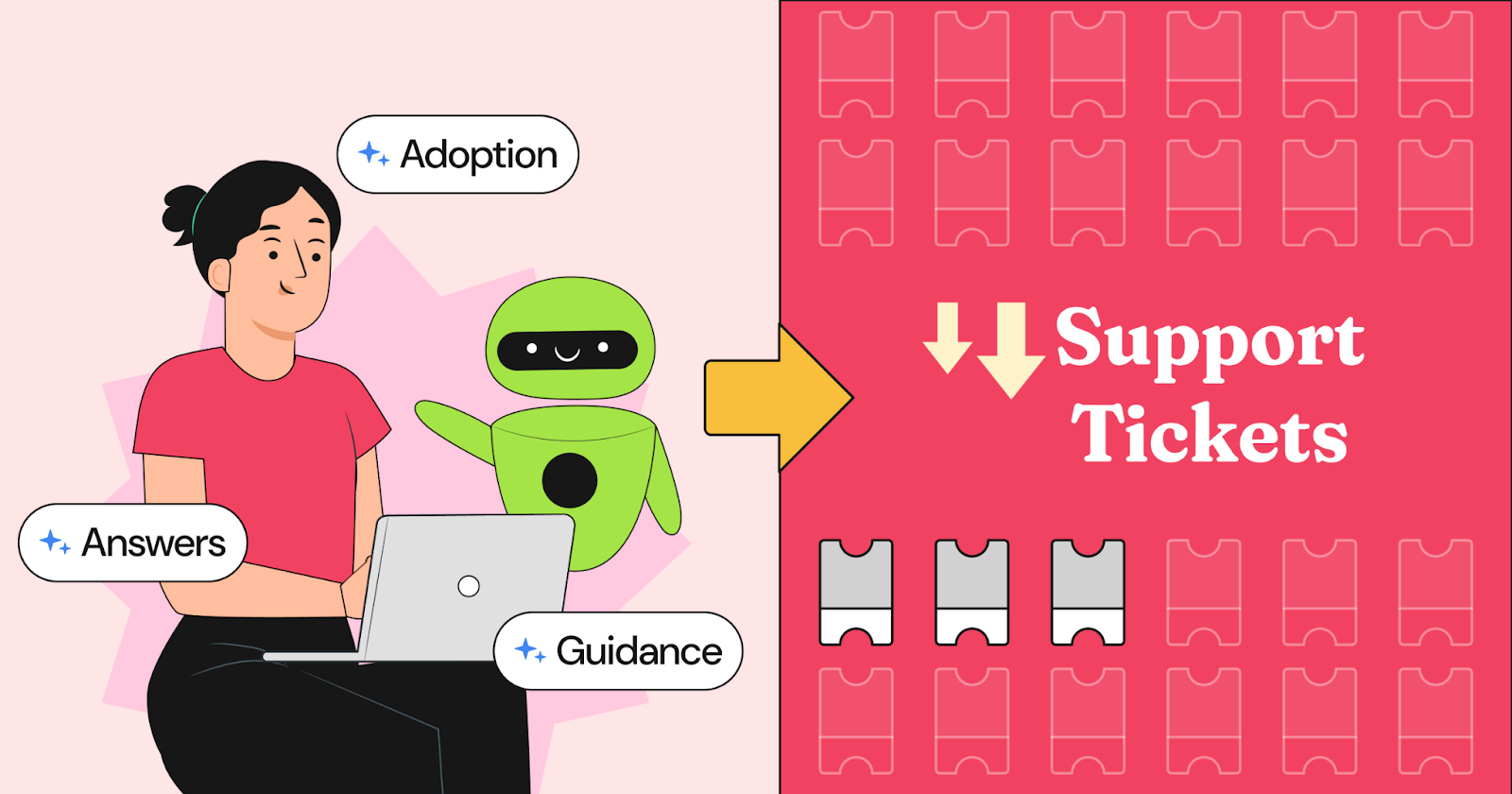
The next wave of B2B customer experience leaders won't be bragging about their ticket deflection rates. They'll be the ones whose users barely think about needing support at all – because their experience just makes sense.
They'll be the ones whose support teams spend less time answering basic questions and more time helping customers innovate and grow. Because at the end of the day, the best support interaction isn't one that gets deflected – it's one that never needs to happen in the first place.
Not because we've built better walls, but because we've created an experience that feels as natural as asking a knowledgeable colleague for help.

import time
import requests
from opentelemetry import trace, metrics
from opentelemetry.sdk.trace import TracerProvider
from opentelemetry.sdk.metrics import MeterProvider
from opentelemetry.sdk.trace.export import ConsoleSpanExporter, SimpleSpanProcessor
from opentelemetry.sdk.metrics.export import ConsoleMetricExporter, PeriodicExportingMetricReader
# --- 1. OpenTelemetry Setup for Observability ---
# Configure exporters to print telemetry data to the console.
# In a production system, these would export to a backend like Prometheus or Jaeger.
trace.set_tracer_provider(TracerProvider())
tracer = trace.get_tracer(__name__)
span_processor = SimpleSpanProcessor(ConsoleSpanExporter())
trace.get_tracer_provider().add_span_processor(span_processor)
metric_reader = PeriodicExportingMetricReader(ConsoleMetricExporter())
metrics.set_meter_provider(MeterProvider(metric_readers=[metric_reader]))
meter = metrics.get_meter(__name__)
# Create custom OpenTelemetry metrics
agent_latency_histogram = meter.create_histogram("agent.latency", unit="ms", description="Agent response time")
agent_invocations_counter = meter.create_counter("agent.invocations", description="Number of times the agent is invoked")
hallucination_rate_gauge = meter.create_gauge("agent.hallucination_rate", unit="percentage", description="Rate of hallucinated responses")
pii_exposure_counter = meter.create_counter("agent.pii_exposure.count", description="Count of responses with PII exposure")
# --- 2. Define the Agent using NeMo Agent Toolkit concepts ---
# The NeMo Agent Toolkit orchestrates agents, tools, and workflows, often via configuration.
# This class simulates an agent that would be managed by the toolkit.
class MultimodalSupportAgent:
def __init__(self, model_endpoint):
self.model_endpoint = model_endpoint
# The toolkit would route incoming requests to this method.
def process_query(self, query, context_data):
# Start an OpenTelemetry span to trace this specific execution.
with tracer.start_as_current_span("agent.process_query") as span:
start_time = time.time()
span.set_attribute("query.text", query)
span.set_attribute("context.data_types", [type(d).__name__ for d in context_data])
# In a real scenario, this would involve complex logic and tool calls.
print(f"\nAgent processing query: '{query}'...")
time.sleep(0.5) # Simulate work (e.g., tool calls, model inference)
agent_response = f"Generated answer for '{query}' based on provided context."
latency = (time.time() - start_time) * 1000
# Record metrics
agent_latency_histogram.record(latency)
agent_invocations_counter.add(1)
span.set_attribute("agent.response", agent_response)
span.set_attribute("agent.latency_ms", latency)
return {"response": agent_response, "latency_ms": latency}
# --- 3. Define the Evaluation Logic using NeMo Evaluator ---
# This function simulates calling the NeMo Evaluator microservice API.
def run_nemo_evaluation(agent_response, ground_truth_data):
with tracer.start_as_current_span("evaluator.run") as span:
print("Submitting response to NeMo Evaluator...")
# In a real system, you would make an HTTP request to the NeMo Evaluator service.
# eval_endpoint = "http://nemo-evaluator-service/v1/evaluate"
# payload = {"response": agent_response, "ground_truth": ground_truth_data}
# response = requests.post(eval_endpoint, json=payload)
# evaluation_results = response.json()
# Mocking the evaluator's response for this example.
time.sleep(0.2) # Simulate network and evaluation latency
mock_results = {
"answer_accuracy": 0.95,
"hallucination_rate": 0.05,
"pii_exposure": False,
"toxicity_score": 0.01,
"latency": 25.5
}
span.set_attribute("eval.results", str(mock_results))
print(f"Evaluation complete: {mock_results}")
return mock_results
# --- 4. The Main Agent Evaluation Loop ---
def agent_evaluation_loop(agent, query, context, ground_truth):
with tracer.start_as_current_span("agent_evaluation_loop") as parent_span:
# Step 1: Agent processes the query
output = agent.process_query(query, context)
# Step 2: Response is evaluated by NeMo Evaluator
eval_metrics = run_nemo_evaluation(output["response"], ground_truth)
# Step 3: Log evaluation results using OpenTelemetry metrics
hallucination_rate_gauge.set(eval_metrics.get("hallucination_rate", 0.0))
if eval_metrics.get("pii_exposure", False):
pii_exposure_counter.add(1)
# Add evaluation metrics as events to the parent span for rich, contextual traces.
parent_span.add_event("EvaluationComplete", attributes=eval_metrics)
# Step 4: (Optional) Trigger retraining or alerts based on metrics
if eval_metrics["answer_accuracy"] < 0.8:
print("[ALERT] Accuracy has dropped below threshold! Triggering retraining workflow.")
parent_span.set_status(trace.Status(trace.StatusCode.ERROR, "Low Accuracy Detected"))
# --- Run the Example ---
if __name__ == "__main__":
support_agent = MultimodalSupportAgent(model_endpoint="http://model-server/invoke")
# Simulate an incoming user request with multimodal context
user_query = "What is the status of my recent order?"
context_documents = ["order_invoice.pdf", "customer_history.csv"]
ground_truth = {"expected_answer": "Your order #1234 has shipped."}
# Execute the loop
agent_evaluation_loop(support_agent, user_query, context_documents, ground_truth)
# In a real application, the metric reader would run in the background.
# We call it explicitly here to see the output.
metric_reader.collect()Recent Posts...
You'll receive the latest insights from the Brainfish blog every other week if you join the Brainfish blog.


