Stop Asking "Can You Describe What You're Seeing?"
Brainfish now lets users attach images to their questions, so your team gets the full picture in the first message, not the fifth.
See It in Action Book a demo →
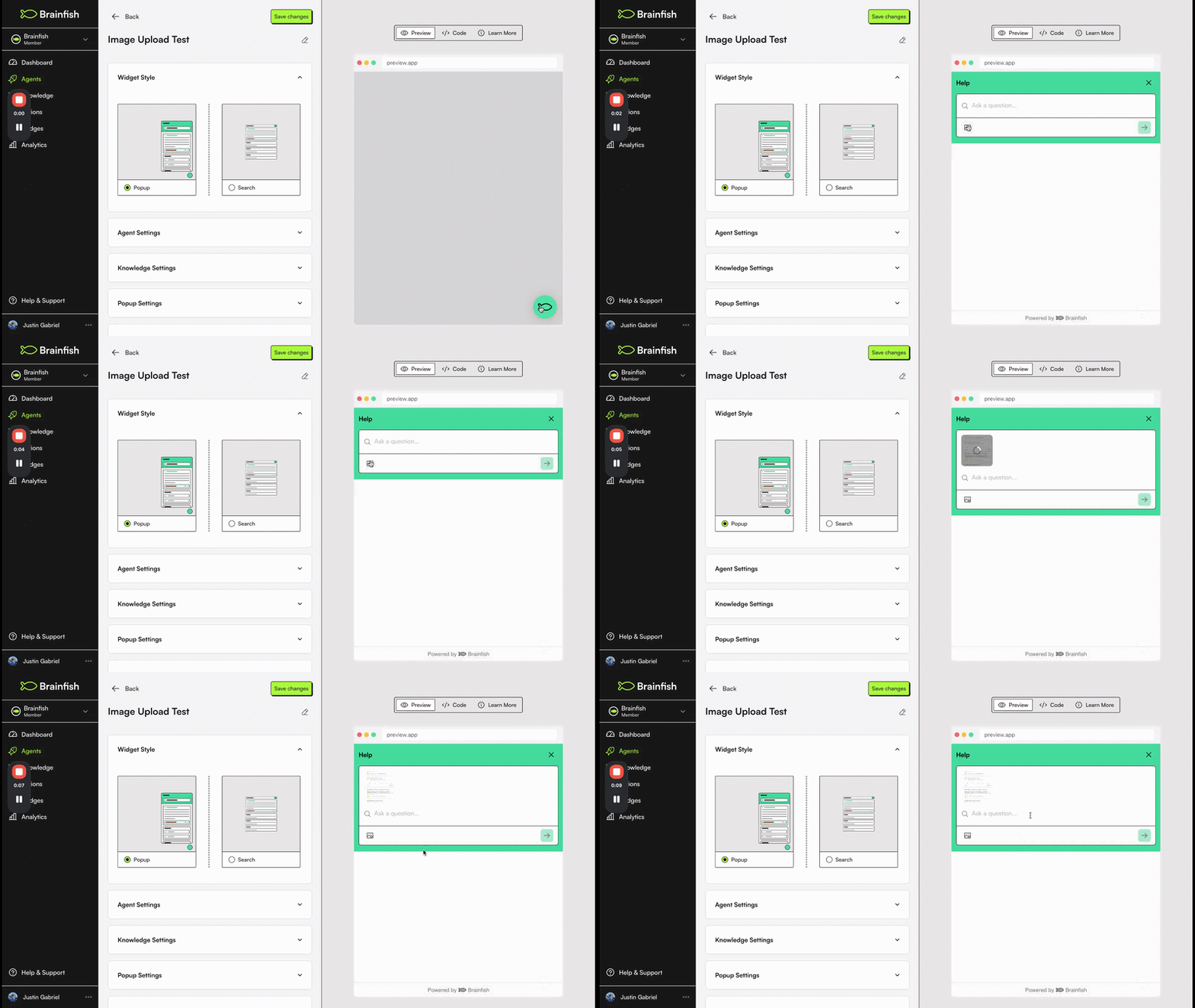
Whether it's a customer reporting a bug or an internal team troubleshooting an issue, showing is faster than telling. Users can now attach images directly to their questions — turning vague descriptions into clear, actionable context from the very first message.
Why we built this
Every "can you describe what you're seeing?" is a delay. For support teams, it means slower resolution times and more back-and-forth. For internal teams, it means issues that should take minutes end up dragging on. By letting anyone attach images to their questions, error screens, unexpected UI states, product photos — Brainfish gets the full picture immediately, so the right answer can surface without the clarification loop.
What's new
- Attach up to 4 images to a single question
- Upload images from your device
- Paste images directly from your clipboard (Cmd/Ctrl+V)
- Preview thumbnails and remove images before submitting
Available in
- Widget
- Assist
- Help Center
Requirements & limitations
- Image files only (no other file types)
- Up to 4 images per question
See It in Action
Want to see how image uploads can cut resolution time for your team? Book a demo →
Want a walk-through of this update?
Bring your stack and we'll show you Brainfish answering inside it.