

AI Knowledge Base for Customer Support: A Practical Guide
Quick answer: An AI knowledge base for customer support is a centralized, automatically maintained repository that powers every support channel - chatbots, agent assist tools, and self-service portals - from a single source of truth. Unlike a static help centre, it ingests knowledge from across your tools, stays current as your product changes, and personalises answers by account and context.
Customer support teams have always run on knowledge. The question is whether that knowledge is organized, accurate, and accessible enough to actually help.
For most support teams at growing companies, the honest answer is no. Knowledge is scattered across a help centre nobody keeps updated, a Slack archive that's impossible to search, a Confluence space that hasn't been touched since the last product overhaul, and the institutional memory of your three most experienced agents. When a customer asks a question, the answer exists somewhere - it's just not reliably findable in the moment it's needed.
An AI knowledge base for customer support changes that. This guide explains what it is, how it works in a real support environment, and what separates the implementations that deliver results from the ones that create more work than they save.
What is an AI knowledge base for customer support?
An AI knowledge base for customer support is a centralized, continuously updated repository of support knowledge that AI systems - both automated agents and human-assist tools - can query in real time to answer customer questions accurately.
The "AI" part means two things. First, the knowledge base uses AI to ingest, organize, and maintain content automatically - rather than relying entirely on manual authoring and update cycles. Second, it's built to serve AI-powered workflows: chatbots and AI agents, agent assist tools, automated ticket routing, and self-service portals that need programmatic access to accurate, structured knowledge.
A traditional knowledge base is a library. An AI knowledge base for support is a live, self-updating system that connects to where knowledge actually lives - your product, your call recordings, your Slack threads, your ticketing data - and makes it reliably available to every channel your customers and team use.
Related reading: What Is an AI Knowledge Base? The Complete Guide - foundational definition and architecture.
Why traditional knowledge bases fail support teams at scale
The problem isn't that companies don't have knowledge bases. Most do. The problem is that the knowledge base can't keep pace with the product, the team, or the customer volume.
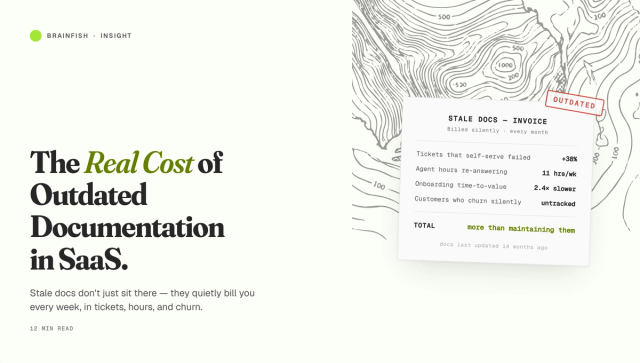
Knowledge goes stale. Products ship weekly. Knowledge bases update quarterly, if someone remembers. The gap between what the product does and what the help centre says it does grows silently. Customers get wrong answers. Agents apologise and manually correct. Tickets get re-opened.
Knowledge is fragmented. The answer to a customer's question exists - in a Gong recording from three months ago, or a Slack thread from a specialist who left, or a Confluence page three levels deep that nobody links to. The knowledge exists; it's just inaccessible in the moment of need.
Maintenance doesn't scale. A team of 5 support agents can keep a knowledge base reasonably fresh. A team of 50, serving a product that ships weekly and a customer base that's tripled, cannot. The maintenance overhead becomes a full-time job that nobody has.
AI tools are only as good as what's underneath. The rapid adoption of AI chatbots and agent assist tools has exposed this problem sharply. Teams deploy AI on top of an already-stale knowledge base and get AI-speed delivery of outdated, wrong answers. Ticket deflection numbers look good. Customer satisfaction does not.
How an AI knowledge base for customer support actually works
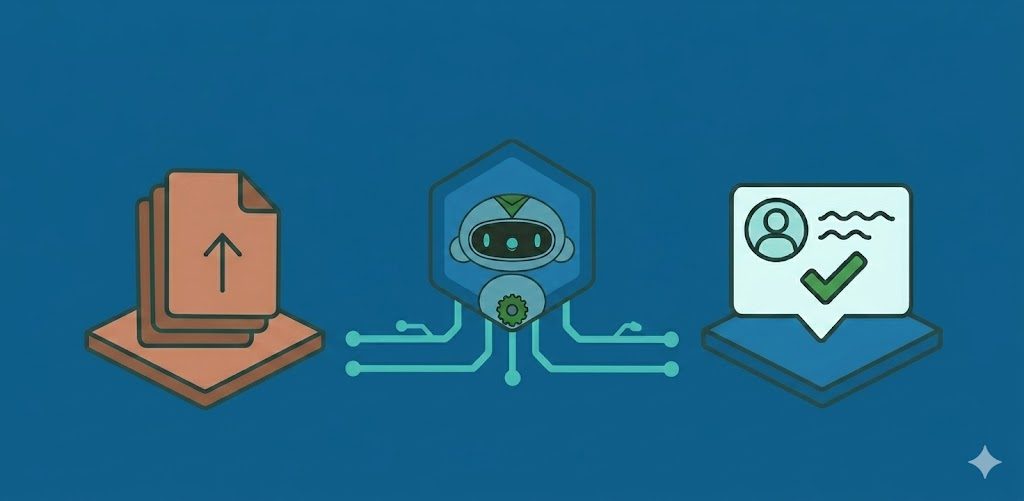
The core workflow has four stages:
1. Ingestion
The knowledge base connects to where your knowledge actually lives: your help centre, your product documentation, your ticketing system, your call recordings, your internal Slack channels, your team's Notion pages. It ingests all of these sources into a unified index, not as raw files but as structured, semantically chunked knowledge.
This matters because a customer query isn't answered by a full article - it's answered by the relevant paragraph within an article, the specific step within a procedure, or the precise exception buried in a policy document. Chunking at the right semantic level is what makes retrieval accurate.
2. Automatic updating
When a product changes - a feature ships, a pricing tier is updated, an integration breaks and gets fixed - the knowledge base detects the change and flags or regenerates affected content. This is the step that most traditional knowledge bases skip entirely, relying instead on someone noticing the content is wrong and manually updating it.
Automatic freshness detection is what separates knowledge bases that improve support quality at scale from ones that create a false sense of coverage while quietly delivering wrong answers.
3. Retrieval
When a customer asks a question - via chatbot, email, in-app widget, or any other channel - the knowledge base is queried semantically. The system retrieves the most relevant chunks of knowledge, ranks them by confidence and recency, and assembles them into a response.
The retrieval step can also incorporate context: the customer's account tier, their product configuration, their support history. A question about "how do I add a user" gets a different answer for a customer on an enterprise plan with SSO enabled than for a customer on a starter plan. Personalised retrieval is what closes the gap between a generic answer and a useful one.
4. Delivery across channels
The same knowledge layer powers every channel: the self-service widget, the AI chatbot, the agent assist sidebar in Zendesk or Intercom, the Slack bot your internal team uses. Knowledge is authored and maintained once, distributed everywhere.
The support outcomes that matter
Teams that implement AI knowledge bases correctly see measurable improvement across the metrics that matter most in support:
Self-service resolution rate increases because customers can find accurate, relevant answers without opening a ticket. Not because the chatbot deflects them - deflection without resolution is a failure metric disguised as a success metric - but because it actually resolves their question.
First contact resolution improves because agents have accurate, contextual knowledge available the moment a ticket lands, rather than searching three systems and guessing.
Handle time decreases because agents spend less time hunting for information and more time using it.
Re-open rate drops because the answers being given - whether by AI or by agents - are accurate and complete, not outdated or partial.
Escalation rate falls because routine questions get resolved at the first tier, and agents are equipped to resolve more complex queries without escalating.
What to look for in an AI knowledge base for customer support
Not all AI knowledge base tools are built equally. When evaluating options, the questions that matter most are:
How does it stay current? Manual update workflows don't scale. The tool needs to detect product changes and update knowledge automatically, or flag affected content for review before it goes stale.
Does it personalize by account and context? A knowledge base that serves the same answer to every customer regardless of their plan, configuration, or history is better than nothing but far from optimal. Look for tools that can segment knowledge by audience, account tier, or user role.
How does it handle conflicting sources? Real knowledge environments have contradictions. The tool needs to identify and resolve conflicts, not pass them through to the AI.
Can it ingest your existing knowledge? Help articles are the easy part. The harder, higher-value knowledge is in your call recordings, your Slack history, your Gong library. Look for tools that can extract structured knowledge from these sources, not just index pre-written articles.
Does it connect to your existing support stack? The knowledge base should work alongside Zendesk, Intercom, Salesforce Service Cloud, or whatever tools your team already uses - not replace them. Brainfish integrates with the tools support teams already use, including Slack, Intercom, Zendesk, HubSpot, and Salesforce, so knowledge is authored once and delivered everywhere.
Why Brainfish solves this (and where it fits)
If you're evaluating Brainfish specifically, the easiest way to think about it is: Brainfish is the knowledge layer that sits underneath your support experiences.
You keep your help center and ticketing system. Brainfish connects to the knowledge sources they don't keep current (and can't easily unify), then delivers accurate, contextual answers across channels.
What this looks like in practice:
- Freshness detection and drift prevention: Brainfish is built around keeping knowledge aligned with the live product, so the system doesn't quietly degrade after launch.
- Multi-source ingestion (beyond articles): Support knowledge is not only in the help centre. Brainfish is designed to pull in knowledge from the systems teams actually use (including wikis and internal knowledge), not just publish another set of articles.
- Conflict resolution, not just indexing: When two sources disagree, Brainfish focuses on producing one consistent answer, rather than letting the retrieval layer return whichever chunk happens to rank highest.
- Delivery everywhere support happens: One knowledge layer can power self-service and agent assist patterns, so you do not maintain separate stacks per channel.
This is why the Brainfish approach tends to work best when the problem is not "we need a chatbot" but "our knowledge is fragmented, out of date, and impossible to operationalize at scale."
Common mistakes support teams make
Deploying AI on a stale knowledge base. If the help centre is already six months out of date when you connect it to an AI chatbot, the chatbot delivers out-of-date answers at scale. Fix the knowledge first.
Treating knowledge base maintenance as a content team problem. Keeping knowledge current is an infrastructure problem. Solve it with automation, not with more writers.
Measuring deflection instead of resolution. A chatbot that deflects 90% of tickets isn't necessarily resolving 90% of problems. It may be frustrating 90% of customers into giving up. Measure resolution rate, re-open rate, and CSAT - not just deflection.
Siloing knowledge by channel. Maintaining one knowledge base for the chatbot, a separate one for agents, and a third for the help centre creates three maintenance burdens and three opportunities for the answer in each to diverge. A single knowledge layer that powers all channels is both more accurate and far cheaper to maintain.
Key takeaways
- An AI knowledge base for customer support ingests, organizes, and continuously updates knowledge from across your tools and systems - and makes it available to every channel your customers and team use
- The primary failure mode of support AI isn't the model: it's stale, fragmented knowledge in the retrieval layer
- Automatic freshness detection, personalized retrieval, and multi-channel delivery are the capabilities that separate tools that improve support quality at scale from tools that just move the problem around
- Measure resolution rate and CSAT, not just deflection
Want to see this in action?
- Webinar: What AI Support Actually Looks Like (When It Works) — practical examples of what “good” looks like and how to operationalize knowledge for accuracy.
- Demo: See how Brainfish keeps support answers current as your product changes with freshness detection, conflict resolution, and multi-channel delivery.
Building AI-powered support? Start with What Is an AI Knowledge Base? The Complete Guide.