What Is an AI Knowledge Base? The Complete Guide
Your customers have questions. They always have, and they always will. The question is: how fast can you answer them, and how much does it cost you to do it?
For most support teams, the answer hasn't changed much in 20 years. Someone writes a help article. It lives in a folder. Customers search for it, struggle to find what they need, and eventually open a ticket anyway. Agents copy-paste the same answers hundreds of times a week. Documentation drifts out of date. The cycle repeats.
An AI knowledge base breaks that cycle.
This guide explains what an AI knowledge base is, how it works, how it differs from a traditional help center, and why the shift matters for CX teams in 2026.
What Is a Knowledge Base?
Before adding the AI layer, it helps to be precise about what a knowledge base actually is.
A knowledge base is a centralized repository of information about your product, service, or organization — written to help customers help themselves, and to give support agents quick access to accurate answers. A good knowledge base contains:
- How-to guides and step-by-step instructions
- Troubleshooting articles and FAQs
- Product documentation and release notes
- Policy information (returns, billing, SLAs)
- Video walkthroughs and onboarding content
The goal of a knowledge base is self-service: customers find answers without contacting support, reducing ticket volume and improving satisfaction.
Traditional knowledge bases are essentially organized document libraries. They rely on keyword search, category trees, and the patience of whoever is trying to find the right article. They work — until they don't.
What Is an AI Knowledge Base?
An AI knowledge base is a knowledge management system that uses artificial intelligence — primarily machine learning and natural language processing — to understand, organize, retrieve, and surface knowledge in response to the actual intent behind a question.
Instead of returning a list of potentially relevant articles, an AI knowledge base returns the answer — pulled from across your existing content, matched to the specific question being asked, and delivered in a direct, readable format.
Three capabilities define an AI knowledge base:
1. Semantic understanding
Traditional search matches keywords. AI search understands meaning. When a customer types "why can't I log in," an AI knowledge base doesn't search for articles containing the word "login" — it understands that this person is experiencing an authentication problem and surfaces content about password resets, SSO configuration errors, account lockouts, and browser compatibility, ranked by relevance.
2. Generative responses
Instead of serving a list of articles, modern AI knowledge bases synthesize an answer from multiple sources. The system reads the relevant content and generates a clear, specific response — much like asking a knowledgeable colleague instead of searching a filing cabinet.
3. Continuous learning and updating
AI knowledge bases can detect when content is stale, when questions are going unanswered, and when new patterns are emerging. The best systems flag knowledge gaps automatically, suggest updates based on ticket data, and keep documentation synchronized with product changes.
How Does an AI Knowledge Base Work?
Under the hood, most AI knowledge bases use a technique called Retrieval-Augmented Generation (RAG). Here's the simplified version of how it works:
- Ingestion: Your existing documentation — help articles, PDFs, support macros, product specs — is processed and indexed.
- Retrieval: When a question comes in, the system identifies the most relevant chunks of content from the indexed knowledge base.
- Generation: A language model synthesizes those chunks into a coherent, accurate answer.
- Delivery: The answer is returned to the customer (via a help widget, AI agent, or search interface) along with source citations so they can verify or read further.
The quality of the output depends heavily on the quality of the underlying knowledge. This is why the best AI knowledge base platforms don't just improve retrieval — they help you maintain and improve the knowledge itself.
Brainfish, for example, uses Hierarchical Retrieval Reasoning (HRR) to decompose complex multi-part questions before retrieval, achieving significantly higher answer accuracy than standard RAG pipelines — particularly for products with complex or overlapping documentation.
AI Knowledge Base vs. Traditional Knowledge Base: Key Differences
Traditional Knowledge Base AI Knowledge Base Search Keyword matching Semantic / intent-based Output List of articles Direct answers + sources Maintenance Manual updates AI-assisted, gap detection Personalization None Context-aware responses Agent support Copy-paste reference Real-time answer suggestions Analytics Page views, search queries Unanswered question detection, knowledge gap reports Integration Static embed Connected to live product data, tickets, CRM
The gap between these two experiences is widening fast. Customers who grew up with Google and ChatGPT expect instant, direct answers — not a search results page.
What Problems Does an AI Knowledge Base Solve?
1. Ticket volume that never seems to drop
If customers can't find answers, they open tickets. According to Gartner, 85% of customer interactions were projected to be handled without a human agent by 2026 — a milestone that only holds if the self-service experience is actually good. An AI knowledge base that answers questions accurately the first time can reduce Tier-1 ticket volume by 40–80%.
2. Documentation that goes out of date
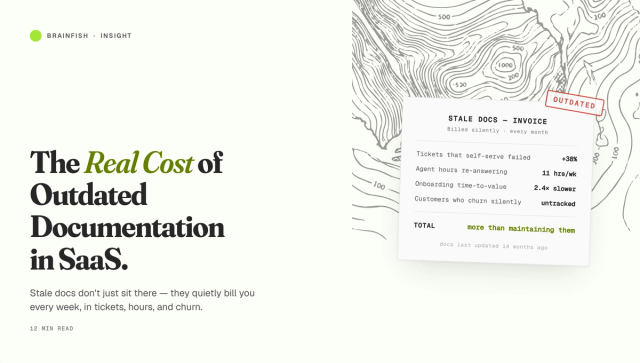
Product teams ship fast. Documentation teams can't always keep up — and the real cost of that gap is higher than most teams track. When a help article describes a UI that no longer exists, or a process that changed three releases ago — a phenomenon called knowledge decay — customers lose trust and agents waste time correcting misinformation. AI knowledge bases can flag stale content, suggest updates based on recent support conversations, and in some cases generate draft updates automatically.
3. Knowledge locked in the heads of senior agents
Every support team has a few people who know everything. When they leave, that knowledge leaves with them. An AI knowledge base that learns from resolved tickets, chat transcripts, and escalation patterns captures institutional knowledge and makes it accessible to every agent on day one.
4. Inconsistent answers across channels
With a traditional knowledge base, different agents give different answers to the same question. An AI knowledge base acts as a single source of truth — ensuring consistent, accurate responses whether the customer is in a chat widget, a help center search bar, or talking to a human agent.
5. No visibility into what customers don't understand
Traditional help centers tell you what people clicked on. AI knowledge bases tell you what people asked — including the questions that went unanswered. That's a fundamentally more valuable signal for improving both documentation and product.
Who Uses an AI Knowledge Base?
AI knowledge bases are most valuable for:
SaaS companies with complex products where customers regularly have technical questions. The deeper and more interconnected the product, the more an AI knowledge base outperforms static documentation.
High-growth companies where support headcount can't scale as fast as the customer base. Automated self-service is the only sustainable path.
Enterprise software vendors with large, multi-section documentation sets. AI knowledge retrieval dramatically reduces the time agents and customers spend searching for the right answer across thousands of articles.
Customer success teams that need to surface the right knowledge at the right moment in the customer lifecycle — onboarding, renewal, and expansion. When customers can find answers without opening a ticket or pinging their CSM, time-to-value improves and churn risk drops.
Sales teams that need instant, accurate answers during live demos and calls. When a prospect asks about an integration, a pricing edge case, or a capability that lives in a product spec somewhere, the rep needs the answer in seconds — not "let me follow up on that." An AI knowledge base connected to product docs, battlecards, and internal playbooks closes that gap in real time.
Internal operations and IT teams running employee-facing knowledge systems. HR policy questions, IT helpdesk requests, onboarding workflows — the same self-service model that deflects customer support tickets works equally well for reducing the burden on HR and IT. Employees get answers without creating a ticket; teams get the same consistency and audit trail.
Multi-persona platforms — products with distinct user types (candidates, recruiters, admins, partners, end customers) each needing different help. An AI knowledge base can serve the right knowledge to the right user type automatically, preventing internal content from surfacing to external users and reducing the overhead of maintaining separate documentation sets.
What Makes a Good AI Knowledge Base?
Not all AI knowledge bases are equal. When evaluating platforms, the most important factors are:
Answer accuracy. The system should return correct answers, not plausible-sounding ones. Look for platforms that can demonstrate accuracy rates on complex, multi-part queries — not just simple FAQs.
Source transparency. Every answer should cite the source content. This builds customer trust and allows agents to verify responses quickly.
Knowledge gap detection. The platform should surface unanswered questions and flag content that's generating poor results, so your team can improve the knowledge base proactively rather than reactively.
Maintenance tooling. How much manual effort does it take to keep the knowledge base current? The best platforms reduce that burden through automated content suggestions, freshness scoring, and integration with your product release workflow.
Integration depth. Your AI knowledge base should connect to your existing tools — Zendesk, Intercom, Salesforce, Confluence, Notion — not require you to rebuild your documentation stack from scratch.
→ See why teams choose Brainfish over traditional knowledge base platforms
Common Misconceptions About AI Knowledge Bases
"Just adding AI to our help center will fix everything."
AI improves retrieval and generation — but it can't fix bad or missing content. If your documentation doesn't cover a topic, the AI won't hallucinate an answer (if it's built correctly). Knowledge quality is the foundation.
"We'll replace our help center with a chatbot."
Chatbots handle conversation flow. An AI knowledge base provides the intelligence behind the answers. They're complementary, not interchangeable.
"This is only for large companies."
AI knowledge management tools have become increasingly accessible for teams of all sizes. The ROI tends to be fastest for companies handling more than 200 support tickets per week.
"Our support team will resist it."
Agents who spend hours searching for answers and copy-pasting macros are usually among the biggest advocates for AI knowledge tools. It removes the tedious parts of the job and lets them focus on the complex, relationship-driven work that actually requires a human.
The Future of AI Knowledge Management
The trajectory is clear: AI knowledge bases will become the operating system for support teams.
In the near term, this means tighter integration between knowledge systems and AI agents — where your documentation doesn't just help customers find answers, but directly powers the AI agents handling conversations at scale. The knowledge base becomes the brain that every agent and every automated workflow draws from.
Longer term, the distinction between "writing documentation" and "the documentation updating itself" will blur. Systems that monitor product changes, customer questions, and support outcomes will maintain knowledge continuously — reducing the documentation burden on teams while improving accuracy over time.
Companies that build high-quality, AI-connected knowledge infrastructure now will have a significant advantage: faster resolution times, lower support costs, higher customer satisfaction, and AI agents that actually work.
Getting Started with an AI Knowledge Base
If you're evaluating AI knowledge base platforms, here's a practical starting point:
- Audit your existing content. Quantity isn't quality. Before adding AI on top of your current help center, identify what's accurate, what's outdated, and what's missing.
- Define your success metrics. Are you optimizing for ticket deflection rate? CSAT? Agent handle time? First contact resolution? Different metrics point to different platform priorities.
- Test with real queries. The only way to evaluate answer quality is to test the system against the questions your customers actually ask — including the hard, multi-part ones that trip up most platforms.
- Plan your integration points. Where will customers and agents access the knowledge? In your help center? In your chat widget? Via API? Make sure the platform fits your architecture before you commit.
→ For a complete framework, see Stop Building Walls: Why Self-Service Should Feel Natural.
How Brainfish Approaches AI Knowledge Management
Brainfish is an AI knowledge platform built for teams that need high answer accuracy across complex documentation — whether that's customer support teams deflecting Tier-1 tickets, sales teams accessing competitive intelligence during live demos, CS teams accelerating onboarding, or internal operations teams running employee self-service.
Unlike platforms that bolt AI onto a static help center, Brainfish was built from the ground up around the problem of knowledge quality — with tooling to detect gaps, flag stale content, and maintain accuracy as your product evolves. It also supports multi-persona deployments, so different user types see only the knowledge relevant to them.
Customers like Smokeball use Brainfish to resolve over 92% of support queries without human escalation — not because they have simpler questions, but because the knowledge layer is accurate enough to handle them.
→ See how Brainfish builds a self-updating knowledge base