Posts

Introducing Brainfish Live Agent Handoff for Zendesk

Published on

May 15, 2026

Bubble
Bubble
Bubble
Bubble
Bubble
Bubble
Bubble
Bubble
Bubble
Bubble
Bubble
Bubble
Bubble
Bubble
Bubble
Bubble
Bubble
Bubble
Bubble
Bubble
Bubble
Bubble
Introducing Brainfish Live Agent Handoff for Zendesk

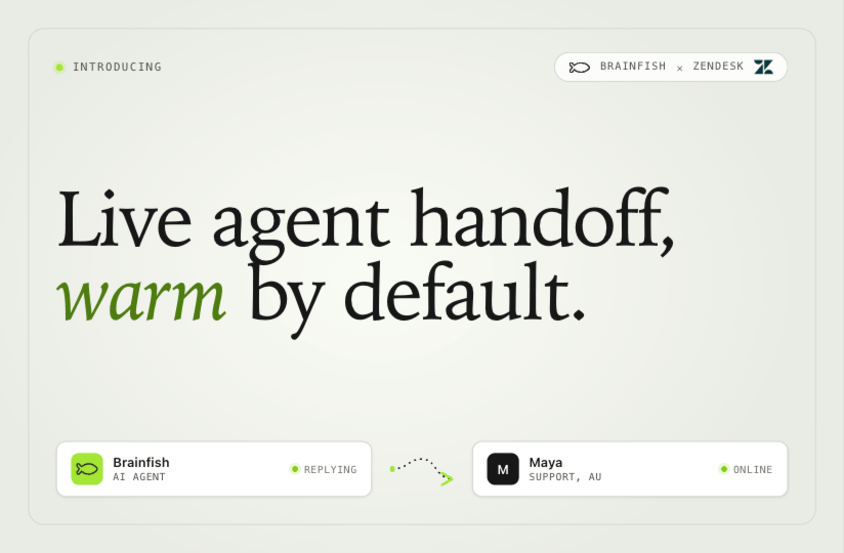
Brainfish Live Agent Handoff is now generally available for Zendesk customers. When the AI cannot resolve a customer question, the conversation transfers to a human agent in the same window, with the full context already in front of them. Customers never repeat themselves. Agents never start blind. The experience stays continuous from the first AI response to the human who closes the ticket.

Introducing Brainfish Live Agent Handoff for Zendesk

Quick answer

Brainfish Live Agent Handoff is a new capability that transfers a customer from the Brainfish AI to a Zendesk human agent inside the same conversation window, with the entire AI exchange already loaded into the agent's view. The customer does not switch surfaces, does not re-explain the question, and does not lose context. The agent picks up exactly where the AI left off, with full visibility into what was asked, what the AI retrieved, what was answered, and where the resolution attempt stopped. Live Agent Handoff is generally available to Brainfish customers running Zendesk today. Equivalent functionality for Intercom, Freshdesk, and Salesforce Service Cloud is on the roadmap. Announced at Zendesk Relate 2026.

Why this matters

Every AI support tool eventually faces the same question: what happens when it cannot resolve something? For most tools, the answer is a dead end. The customer asks for a human, gets dropped into a ticket queue, and starts from zero. Every detail they just shared with the AI is gone. The agent starts blind. Resolution takes longer. The trust built in the first half of the conversation evaporates.

That failure mode is the single most consistent complaint we hear about AI support deployments in 2026. Teams report the same pattern: AI handles the easy half of the question, the customer escalates, and the second half of the conversation becomes adversarial because the customer is now re-explaining context the AI already had. CSAT on escalated conversations sits 15 to 25 points below CSAT on AI-resolved or human-only conversations. The escalation itself is what damages the experience, not the AI's inability to resolve.

Live Agent Handoff closes that gap structurally. The customer stays in the same conversation. The agent inherits the full context. The handoff becomes a continuation rather than a restart.

What Live Agent Handoff does

Three things happen at the moment of handoff.

1. The conversation stays in the same window. No new ticket. No new tab. No "please hold while we transfer you." The customer keeps typing in the same surface. From the customer's perspective, the AI just turned into a more capable colleague.

2. The agent receives the full AI exchange as context. Every message, every retrieved source, every confidence score, every action the AI attempted. The agent sees what was asked, what was answered, what was correct, and where the AI got stuck. This is the difference between starting at zero and starting at minute six of a fifteen-minute resolution.

3. The Zendesk ticket is created with the full transcript and AI metadata attached. If the team wants to track AI-to-human escalations as a ticket category, the data is structured for reporting. Agent assist surfaces the same retrieval chain the AI was using, so the agent can verify the AI's last answer or correct it without leaving the console.

How it works inside Zendesk

Live Agent Handoff integrates with the Zendesk Agent Workspace natively. When the AI determines that handoff is the right next step (the customer requested a human, the AI's confidence falls below threshold, or a specific intent is configured for human-first handling), three things happen automatically.

The customer's Brainfish conversation widget seamlessly transitions to a Zendesk Agent Workspace conversation. The agent receives a notification that includes the conversation summary, the retrieval chain, and the inferred reason for handoff. The agent's reply panel populates with conversation context so they can respond inside the same thread without copy-pasting from a separate source.

For support leaders, the resulting Zendesk tickets carry structured fields: AI conversation length, retrieval confidence at handoff, AI answer quality (if the customer flagged it), and the specific point where escalation occurred. These feed standard Zendesk reports for cohort analysis on AI-to-human conversion.

What changes for the customer

No cold-start. The customer who said "my Zoom integration broke yesterday after the API update" does not have to say it again when a human takes over. The agent's first message can be specific and contextual, which is the moment trust gets rebuilt: "I can see you've been talking with our assistant about the Zoom integration. Let me check what's specifically failing on your account."

The experience stays continuous from the first AI response to the human who closes it. Internal research from teams piloting Live Agent Handoff shows handed-off conversations recover the CSAT gap that escalations normally introduce. The handoff stops being the damaged-experience moment.

What changes for the agent

The agent inherits a briefing, not a blank ticket. The conversation history, the AI's retrieved sources, the confidence trajectory, and the inferred reason for handoff are all visible before the agent types a single character.

The practical effect is shorter handle time on escalated tickets (early teams report 30 to 45% reductions on AI-handed-off conversations) and lower escalation pain (agents stop dreading the "start over from scratch" interaction). For Zendesk-native AI workflows that include agent assist, the same retrieval surface the AI was using stays available to the agent, so suggestions are grounded in the same content layer.

What changes for the support leader

Two operational changes worth flagging.

Cleaner cohort analysis. AI-to-human handoffs are now structured events with attached metadata, not just regular tickets with notes. CSAT, handle time, escalation reasons, and AI-confidence trajectory at handoff can be reported on per cohort. "How are our handoffs trending" becomes an answerable question.

Content-ops feedback loop. Every handoff is a signal that the AI did not have what it needed. Brainfish content operations clusters handoff transcripts to surface coverage gaps ("we have 23 handoffs in the last 30 days about pricing for the EU plan; the AI did not have a source on this") so the content team can close the gap upstream. The handoff becomes a content signal, not just an escalation.

How to enable it

For existing Brainfish + Zendesk customers, Live Agent Handoff is available today in the Brainfish admin panel under Integrations → Zendesk → Live Agent Handoff. Toggle on, configure handoff rules (intent-based, confidence-threshold-based, or customer-request-based), and the capability is live within minutes.

For teams not yet on Brainfish, deployment time from contract to Live Agent Handoff in production is typically 1 to 2 weeks, including the underlying Brainfish + Zendesk integration setup.

Full setup walkthrough: see The Complete Guide to Brainfish + Zendesk (2026).

What's next

Live Agent Handoff launches with Zendesk as the first supported helpdesk because Zendesk is our deepest integration today. Equivalent capabilities for Intercom Fin and Inbox, Freshdesk Freddy, and Salesforce Service Cloud Einstein are on the roadmap. We will share specific timing as each becomes generally available.

Enable Live Agent Handoff for your Zendesk.
Book a Brainfish demo

import time
import requests
from opentelemetry import trace, metrics
from opentelemetry.sdk.trace import TracerProvider
from opentelemetry.sdk.metrics import MeterProvider
from opentelemetry.sdk.trace.export import ConsoleSpanExporter, SimpleSpanProcessor
from opentelemetry.sdk.metrics.export import ConsoleMetricExporter, PeriodicExportingMetricReader

# --- 1. OpenTelemetry Setup for Observability ---
# Configure exporters to print telemetry data to the console.
# In a production system, these would export to a backend like Prometheus or Jaeger.
trace.set_tracer_provider(TracerProvider())
tracer = trace.get_tracer(__name__)
span_processor = SimpleSpanProcessor(ConsoleSpanExporter())
trace.get_tracer_provider().add_span_processor(span_processor)

metric_reader = PeriodicExportingMetricReader(ConsoleMetricExporter())
metrics.set_meter_provider(MeterProvider(metric_readers=[metric_reader]))
meter = metrics.get_meter(__name__)

# Create custom OpenTelemetry metrics
agent_latency_histogram = meter.create_histogram("agent.latency", unit="ms", description="Agent response time")
agent_invocations_counter = meter.create_counter("agent.invocations", description="Number of times the agent is invoked")
hallucination_rate_gauge = meter.create_gauge("agent.hallucination_rate", unit="percentage", description="Rate of hallucinated responses")
pii_exposure_counter = meter.create_counter("agent.pii_exposure.count", description="Count of responses with PII exposure")

# --- 2. Define the Agent using NeMo Agent Toolkit concepts ---
# The NeMo Agent Toolkit orchestrates agents, tools, and workflows, often via configuration.
# This class simulates an agent that would be managed by the toolkit.
class MultimodalSupportAgent:
    def __init__(self, model_endpoint):
        self.model_endpoint = model_endpoint

    # The toolkit would route incoming requests to this method.
    def process_query(self, query, context_data):
        # Start an OpenTelemetry span to trace this specific execution.
        with tracer.start_as_current_span("agent.process_query") as span:
            start_time = time.time()
            span.set_attribute("query.text", query)
            span.set_attribute("context.data_types", [type(d).__name__ for d in context_data])

            # In a real scenario, this would involve complex logic and tool calls.
            print(f"\nAgent processing query: '{query}'...")
            time.sleep(0.5) # Simulate work (e.g., tool calls, model inference)
            agent_response = f"Generated answer for '{query}' based on provided context."
            
            latency = (time.time() - start_time) * 1000
            
            # Record metrics
            agent_latency_histogram.record(latency)
            agent_invocations_counter.add(1)
            span.set_attribute("agent.response", agent_response)
            span.set_attribute("agent.latency_ms", latency)
            
            return {"response": agent_response, "latency_ms": latency}

# --- 3. Define the Evaluation Logic using NeMo Evaluator ---
# This function simulates calling the NeMo Evaluator microservice API.
def run_nemo_evaluation(agent_response, ground_truth_data):
    with tracer.start_as_current_span("evaluator.run") as span:
        print("Submitting response to NeMo Evaluator...")
        # In a real system, you would make an HTTP request to the NeMo Evaluator service.
        # eval_endpoint = "http://nemo-evaluator-service/v1/evaluate"
        # payload = {"response": agent_response, "ground_truth": ground_truth_data}
        # response = requests.post(eval_endpoint, json=payload)
        # evaluation_results = response.json()
        
        # Mocking the evaluator's response for this example.
        time.sleep(0.2) # Simulate network and evaluation latency
        mock_results = {
            "answer_accuracy": 0.95,
            "hallucination_rate": 0.05,
            "pii_exposure": False,
            "toxicity_score": 0.01,
            "latency": 25.5
        }
        span.set_attribute("eval.results", str(mock_results))
        print(f"Evaluation complete: {mock_results}")
        return mock_results

# --- 4. The Main Agent Evaluation Loop ---
def agent_evaluation_loop(agent, query, context, ground_truth):
    with tracer.start_as_current_span("agent_evaluation_loop") as parent_span:
        # Step 1: Agent processes the query
        output = agent.process_query(query, context)

        # Step 2: Response is evaluated by NeMo Evaluator
        eval_metrics = run_nemo_evaluation(output["response"], ground_truth)

        # Step 3: Log evaluation results using OpenTelemetry metrics
        hallucination_rate_gauge.set(eval_metrics.get("hallucination_rate", 0.0))
        if eval_metrics.get("pii_exposure", False):
            pii_exposure_counter.add(1)
        
        # Add evaluation metrics as events to the parent span for rich, contextual traces.
        parent_span.add_event("EvaluationComplete", attributes=eval_metrics)

        # Step 4: (Optional) Trigger retraining or alerts based on metrics
        if eval_metrics["answer_accuracy"] < 0.8:
            print("[ALERT] Accuracy has dropped below threshold! Triggering retraining workflow.")
            parent_span.set_status(trace.Status(trace.StatusCode.ERROR, "Low Accuracy Detected"))

# --- Run the Example ---
if __name__ == "__main__":
    support_agent = MultimodalSupportAgent(model_endpoint="http://model-server/invoke")
    
    # Simulate an incoming user request with multimodal context
    user_query = "What is the status of my recent order?"
    context_documents = ["order_invoice.pdf", "customer_history.csv"]
    ground_truth = {"expected_answer": "Your order #1234 has shipped."}

    # Execute the loop
    agent_evaluation_loop(support_agent, user_query, context_documents, ground_truth)
    
    # In a real application, the metric reader would run in the background.
    # We call it explicitly here to see the output.
    metric_reader.collect()

Frequently Asked Questions

When will Live Agent Handoff be available for Intercom, Freshdesk, and Salesforce?

Equivalent capabilities for Intercom Fin and Inbox, Freshdesk Freddy, and Salesforce Service Cloud Einstein are on the Brainfish roadmap. Specific availability timing for each will be announced as each integration reaches general availability. Zendesk is the first because it is the deepest Brainfish integration today.

Will Live Agent Handoff work alongside Zendesk AI and Zendesk's own bots?

Yes. Live Agent Handoff is a Brainfish capability that integrates with Zendesk Agent Workspace. It works alongside Zendesk AI, Zendesk's bots, and any other Zendesk-native AI surfaces. Brainfish remains the upstream knowledge layer feeding both the AI conversation and the agent-assist view.

What triggers a handoff from the AI to a human agent?

Three configurable triggers: the customer explicitly requests a human, the AI's answer confidence drops below a threshold the team sets, or a specific intent is configured for human-first handling (for example, billing disputes or account closures). Teams can use any combination of triggers.

Does Live Agent Handoff require a new Zendesk product or license?

No. Live Agent Handoff works with existing Zendesk Agent Workspace and standard Zendesk subscriptions. There is no separate Zendesk license or product to purchase. The capability is enabled on the Brainfish side via the integration settings.

How does Live Agent Handoff differ from a standard Zendesk escalation?

A standard escalation creates a new ticket and drops the customer into a queue, losing the AI conversation context. Live Agent Handoff keeps the conversation in the same window and transfers the full AI exchange (including retrieved sources and confidence scores) into the Zendesk Agent Workspace before the agent types a reply. The customer experiences continuity rather than restart.

What is Brainfish Live Agent Handoff for Zendesk?

Brainfish Live Agent Handoff is a feature that transfers a customer from the Brainfish AI to a Zendesk human agent inside the same conversation window. The full AI exchange (messages, retrieved sources, confidence scores) loads into the agent's view automatically, so the customer never re-explains and the agent never starts blind. Generally available to Brainfish + Zendesk customers as of May 2026.

Share this post
by 
Daniel Kimber
May 18, 2026
CEO & Co-founder, Brainfish

Recent Posts...