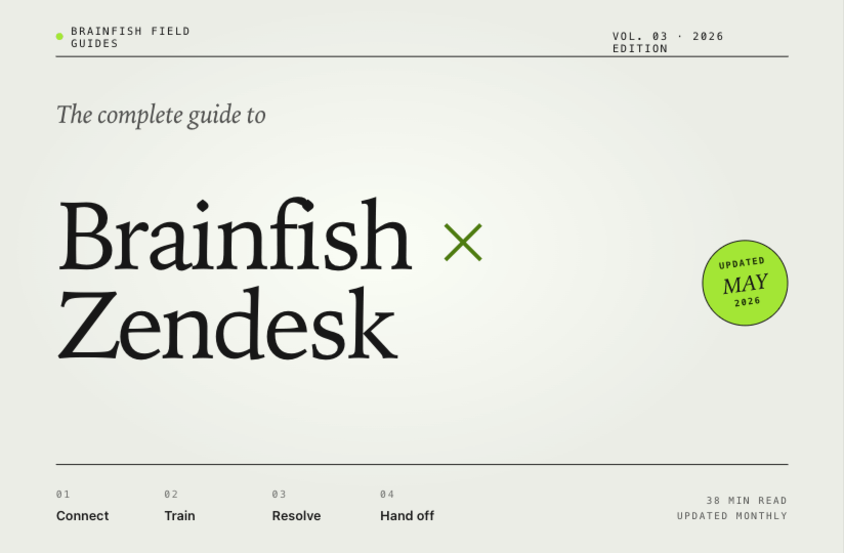
The Complete Guide to Brainfish + Zendesk (2026)
Quick answer
Brainfish is the AI knowledge layer that sits alongside Zendesk Support and feeds every Zendesk-native AI surface with cleaner, multi-source, continuously maintained content. The integration covers five surfaces: (1) Zendesk AI reads from Brainfish content instead of just Zendesk Guide, lifting answer accuracy in production. (2) Agent Workspace agent-assist surfaces grounded answers with traceable sources. (3) Self-service portal answers draw from the same normalized index. (4) Live Agent Handoff (GA May 2026) transfers AI conversations to human agents in the same window with full context. (5) Content operations runs continuously across Zendesk Guide plus product docs, engineering wikis, past tickets, and internal playbooks. Zendesk customers keep Zendesk, keep Zendesk AI, and add an AI knowledge layer underneath that makes both work better in production. This guide is the canonical reference for running Brainfish alongside Zendesk in 2026.
Why this guide exists
Most Zendesk customers running AI support in 2026 have hit the same ceiling. Zendesk AI is a strong product, but its production accuracy is bounded by the content it can read. Zendesk Guide articles are one source. Most teams' real answers live across Zendesk Guide, product documentation sites, engineering wikis, past tickets and macros, release notes, and internal playbooks. When Zendesk AI reads only Zendesk Guide, it answers a slice of the question set well and fails on the long tail.
The pattern most teams notice: launch accuracy is strong, then drifts. Customer questions about features documented elsewhere fail. Cross-channel inconsistency emerges (the help center says one thing, Zendesk AI another, an in-product widget a third). Wrong answers cannot be traced to specific sources. The team starts asking whether they need to switch helpdesks or change AI vendors.
For most teams the answer is neither. The structural fix is to add an AI knowledge layer underneath Zendesk that feeds Zendesk AI better content, runs continuous content operations across all sources, and surfaces in every Zendesk-native AI surface from one normalized source. That layer is what Brainfish does. This guide is the complete reference for how it works.
For the broader category framing, see What Is an AI Knowledge Layer? The Definitive Guide for 2026.
TL;DR
- Brainfish runs alongside Zendesk, never in place of. Zendesk stays the system of record for tickets, queues, routing, SLAs. Brainfish is the upstream content layer that feeds Zendesk AI and every Zendesk-native AI surface.
- Five integration surfaces: Zendesk AI, Agent Workspace agent-assist, self-service portals, Live Agent Handoff (new), and continuous content operations across all sources.
- Live Agent Handoff is generally available as of May 2026. Transfers AI conversations to human agents in the same window with full context. No re-explaining, no blind agents.
- Setup takes 1 to 2 weeks for full integration including all five surfaces. No content migration required — Brainfish reads from where content already lives.
- Zendesk is the deepest Brainfish integration by design. Equivalent capabilities for Intercom, Freshdesk, and Salesforce Service Cloud are on the roadmap.
The architecture
A clean separation of concerns sits at the heart of the integration. Each system does what it does best.
Zendesk remains the system of record for cases, queues, routing, SLA management, the Agent Workspace, customer profiles, and reporting. Tickets are Zendesk's. Workflows are Zendesk's. Agent licensing is Zendesk's.
Zendesk AI remains the AI surface inside the Zendesk product (bots, suggested replies, Conversation Mining, intent detection). What changes is the content it reads.
Brainfish runs as the upstream content layer. It ingests from Zendesk Guide plus the other sources where answers actually live (product docs, engineering wikis, past tickets, release notes, internal playbooks). It normalizes that content into a single retrieval index. It runs continuous content operations across the combined index. It serves answers back to Zendesk AI, the Agent Workspace, self-service portals, and the new Live Agent Handoff capability.
The Zendesk customer keeps their Zendesk investment intact and adds the layer underneath. No helpdesk migration. No content migration. The integration is API-first and respects Zendesk's data model.
What Brainfish does for Zendesk users — five surfaces
Surface 1: Zendesk AI gets a better content source
Zendesk AI answer accuracy is a function of the content it reads. When Brainfish becomes the upstream content source, Zendesk AI sees normalized content from every source the team maintains, not just Zendesk Guide. The practical effect: Zendesk AI answer accuracy improves across the long tail of customer questions, without any change to Zendesk licensing or product surface.
For support leaders measuring AI deflection through Zendesk's reporting, this typically shows up as a step-change in resolution rate within 30 days, followed by continued improvement over 90 to 180 days as Brainfish content operations matures.
Surface 2: Agent Workspace agent-assist surfaces traceable answers
In the Zendesk Agent Workspace, agent-assist suggestions are grounded in the same normalized content the AI uses. Suggestions surface with source attribution: the agent sees which document the answer came from, what the confidence was, and can click through to verify before sending. Wrong-answer debugging moves from a multi-day investigation to a multi-minute one because every answer is traceable to a source.
This is the surface that changes most for agents in practice. Handle time on complex tickets drops because the right source surfaces faster.
Surface 3: Self-service portal draws from the same source
The Zendesk Help Center search experience can be powered by the same Brainfish content layer that feeds Zendesk AI. Customers searching the public help center get answers grounded in the same multi-source content the AI uses internally. Cross-channel consistency is structural rather than a manual process, because the help center search, the AI chatbot, and the agent-assist view all draw from one normalized source.
The failure mode without this consistency is the one customers feel most directly: three channels give three different answers to the same question. Multi-surface serving from one source eliminates that class of problem.
Surface 4: Live Agent Handoff (new — GA May 2026)
Live Agent Handoff is the marquee new capability launching with Zendesk Relate 2026. When the Brainfish AI cannot resolve a customer question, the conversation transfers to a Zendesk human agent inside the same window. The agent inherits the full AI conversation, the retrieved sources, the confidence trajectory, and the inferred reason for handoff. The customer does not re-explain. The agent does not start blind.
The handoff stops being the damaged-experience moment of the conversation and becomes a continuation. Early customer pilots show:
- Handed-off conversations recover the CSAT gap that escalations normally introduce.
- Handle time on escalated tickets drops 30 to 45% because the agent inherits context.
- AI-to-human handoffs become structured events with attached metadata, enabling cleaner cohort analysis in Zendesk reports.
For the full launch announcement, see Introducing Brainfish Live Agent Handoff for Zendesk.
Surface 5: Continuous content operations across all sources
The fifth surface is the operational one that prevents drift. Brainfish runs continuous content operations across the combined index of Zendesk Guide articles, product docs, engineering wikis, past tickets, release notes, and internal playbooks. Four capabilities run continuously:
- Stale-content detection surfaces Zendesk Guide articles and other sources that are likely outdated, routed to the owner with a specific fix.
- Coverage-gap clustering identifies repeated unanswered customer questions and clusters them so a single content fix closes a whole class of tickets.
- Conflict detection flags two sources disagreeing on the same question and routes the conflict to a human owner instead of letting the AI pick randomly.
- Owner routing assigns drift and gaps as accountable work, not as "someone should update docs sometime."
This is the component most chatbot vendors do not have, and the reason most AI support deployments degrade in production after launch. Continuous content operations is what keeps Zendesk AI honest in production over 6 to 12 months and beyond.
Setup walkthrough (1 to 2 weeks to production)
The full Brainfish + Zendesk integration is API-first and does not require Zendesk-side custom code or app installation in most configurations.
Week 1 — Connect and ingest. Connect Brainfish to Zendesk via the standard OAuth flow. Connect any additional content sources (product docs, wikis, files) via Brainfish's native connectors. Brainfish ingests, normalizes, and indexes content across all sources. First retrievable answers grounded in customer content arrive within hours.
Week 1–2 — Configure surfaces. Enable the surfaces the team uses: Zendesk AI feed (toggle on), Agent Workspace agent-assist (configure the Brainfish app for the workspace), self-service portal search (point search at the Brainfish endpoint), and Live Agent Handoff (configure trigger rules and target queues).
Week 2 — Content operations and observability. Brainfish content operations begins surfacing stale articles, coverage gaps, and source conflicts. The content team triages the queue with owner routing. Retrieval observability is on by default, so any wrong answer can be traced to a specific source in under a minute.
Ongoing. Continuous content operations runs in the background. Most teams report first measurable AI accuracy lift within 30 days and sustained improvement over 90 to 180 days.
Why Zendesk-first
A candid note. Brainfish supports Intercom, Freshdesk, and Salesforce Service Cloud as well, but Zendesk is the deepest integration today by design. Three reasons:
1. Zendesk is the most common enterprise helpdesk. A meaningful share of the support market runs Zendesk. Building the deepest integration first against the most common surface maximizes the number of teams who can use Brainfish without changing their stack.
2. Zendesk's product surface is wide enough to require depth. Zendesk AI, Agent Workspace, self-service portals, Conversation Mining, intent detection, and the upcoming Zendesk Live integrations each have specific integration shapes. Doing one helpdesk deeply produces a cleaner pattern that can then be ported to Intercom, Freshdesk, and Salesforce.
3. Zendesk is the deepest customer signal. A large share of our customer base runs Zendesk. Building for the customer composition we have, rather than for an even spread across helpdesks, has been the right call so far.
Equivalent capabilities for Intercom Fin and Inbox, Freshdesk Freddy, and Salesforce Service Cloud Einstein are on the roadmap. Live Agent Handoff specifically will arrive for those helpdesks after the Zendesk version is in steady-state production with customers.
Add Brainfish alongside your Zendesk.