News

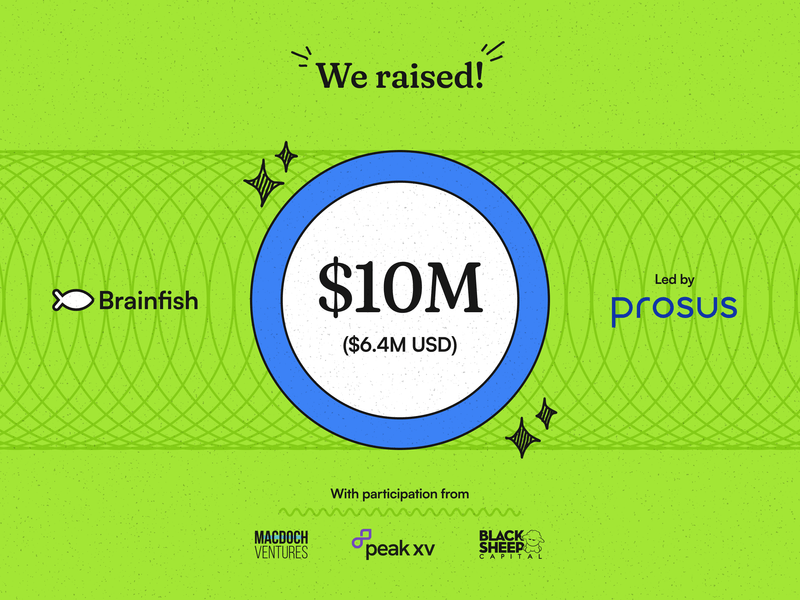
Brainfish Raises $10M to Define the Future of Customer Support with Ambient AI

Published on

September 4, 2025

Bubble
Bubble
Bubble
Bubble
Bubble
Bubble
Bubble
Bubble
Bubble
Bubble
Bubble
Bubble
Bubble
Bubble
Bubble
Bubble
Bubble
Bubble
Bubble
Bubble
Bubble
Bubble
Brainfish Raises $10M to Define the Future of Customer Support with Ambient AI

Customer support teams are stuck in an endless cycle of reacting to the same problems while product teams build features in the dark, waiting for frustrated users to tell them what's wrong. What if instead of handling tickets after users get stuck, your product could prevent those problems from happening in the first place? Brainfish's $6.4M funding round is proof that ambient AI can transform how companies think about customer experience entirely, moving from reactive support to proactive prevention that makes products naturally easier to use.

Customer support as we know it is fundamentally reactive. Users get stuck because of an unclear product flow or out of date help docs, submit tickets, wait for responses, and hope someone understands the context of their problem. Meanwhile, support teams spend their days answering the same questions over and over, never getting ahead of the real problems.

Product teams face an even more frustrating challenge: sometimes they're building in the dark. By the time feedback reaches them through support tickets or user surveys, customers are already confused or churning. They ship features that users can't find or don't know how to use. They maintain help documentation that's constantly outdated because every product update requires manual content revisions across multiple systems.

Worse, product teams often don't see the connection between their design decisions and support volume. A confusing onboarding flow becomes dozens of "how do I get started" tickets. An unclear feature interface generates endless questions about functionality that should be intuitive. A product update that changes the UI invalidates hours of carefully crafted documentation.

Just like their Support counterparts, Product teams are constantly reacting to problems instead of preventing them, and they're missing the real-time insights they need to build products that actually work for users.

We built Brainfish because we know there's a better way.

What We're Actually Building

Instead of waiting for users to get frustrated and reach out for help, our ambient AI observes how people actually use your product. Brainfish understands where users typically struggle, spot patterns across thousands of interactions, and deliver the right guidance at exactly the right moment. Plus, Brainfish ensures you never have to write product docs again. We can detect a change in the product and automatically update or create help documentation for your users.

Think of it like having your best support expert embedded directly in your product, available 24/7, learning from every user interaction to get better at helping the next person.

The Problem We're Solving

If you're a CX leader, you know this pain intimately. Your team is constantly playing catch-up, answering questions that could have been prevented with better guidance. Your help documentation is always out of date. And despite your best efforts, users still get stuck on the same things over and over.

Product teams face their own version of this challenge. You ship features that users don't discover or don't know how to use effectively. You get feedback through support tickets and surveys, but by then, users are already frustrated. You're building in the dark, without real visibility into how people actually experience your product.

What Success Looks Like

Our customers are seeing some pretty remarkable results:

  • Smokeball reduced their support tickets by 92% while actually improving customer satisfaction
  • Support teams are shifting from reactive firefighting to proactive problem-solving
  • Product teams are getting real-time insights into user behavior instead of waiting for lagging indicators

Users are getting faster support and they're getting a product experience that feels naturally intuitive, where help appears exactly when they need it, without breaking their flow.

Why This Funding Matters

This $6.4M USD round led by Prosus Ventures isn't just about growing our team (though we're definitely hiring). It's about proving that there's a better way to think about customer support entirely.

"Customer support isn't broken – it's outdated," says our CEO, Daniel Kimber. "It waits for problems and tickets, when support should be seamlessly embedded inside the product."

We're creating AI agents that understand your product context, learn from real user behavior, and prevent problems before they happen. We're not just building another chatbot or help desk tool.

U.S. Expansion

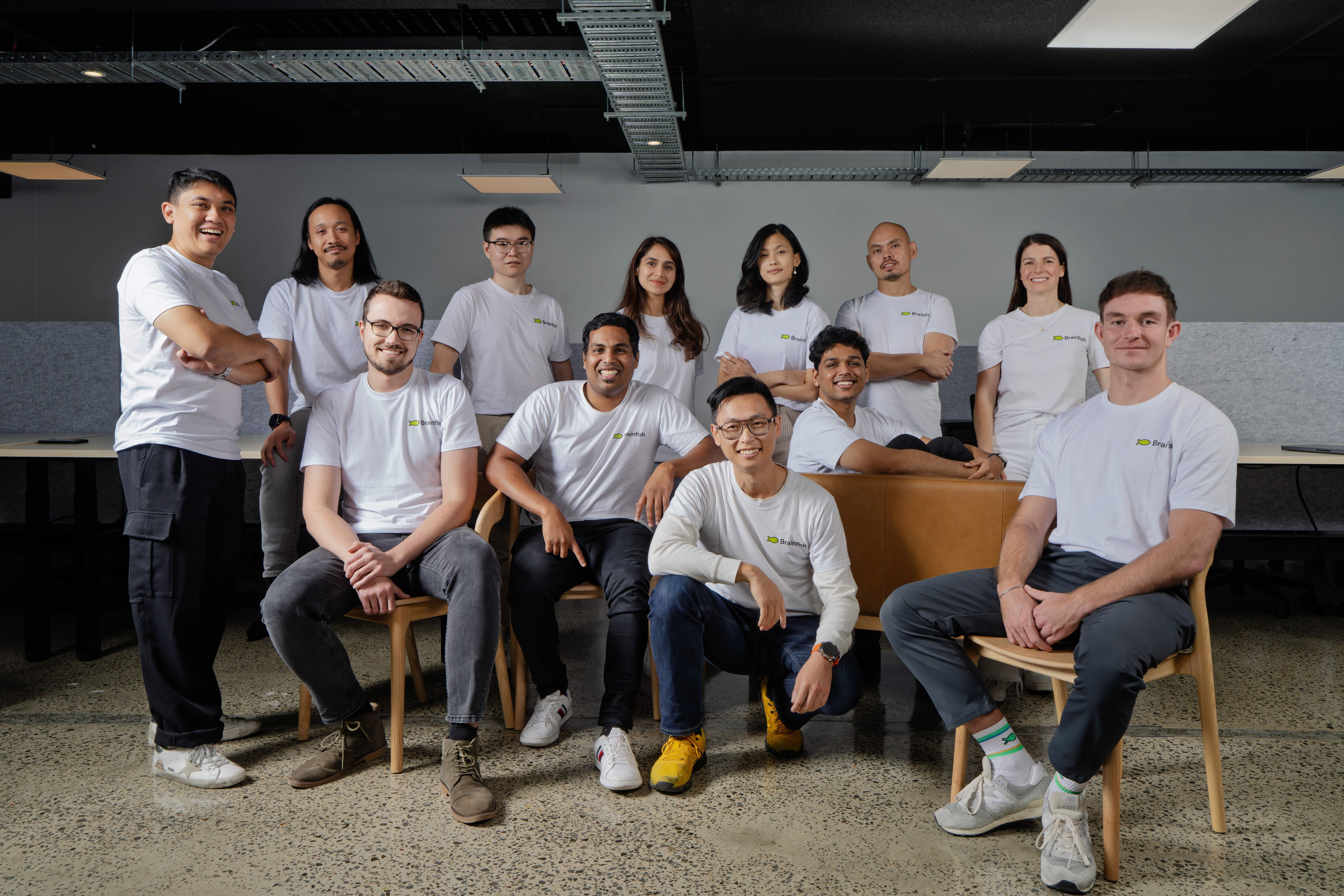
We've now established a U.S. headquarters in San Francisco (for Allie, Justin, DK, and our growing US team). We'll be hiring more this year, so keep an eye out!

What's Next

We're using this funding to:

  • Scale our engineering team to handle the growing demand from companies who want to transform their customer experience
  • Expand our U.S. presence to better serve the market where we're seeing incredible traction
  • Accelerate product development to make our ambient AI even more sophisticated and helpful

The Bigger Picture
We're part of a shift that's happening across the industry. Companies are realizing that customer experience isn't only about handling problems faster (although that is important). It's also about creating products that don't create problems in the first place.

The best support interaction is the one that never needs to happen because the user naturally succeeds on their own.

For CX leaders, this means moving from reactive support to proactive prevention. For product teams, it means having real visibility into user behavior so you can build experiences that actually work.

Want to Learn More?

If you're a CX or product leader dealing with these challenges, we'd love to show you how ambient AI can transform your user experience. The companies using Brainfish are reducing support tickets and customer effort, and creating products that feel naturally easier to use.

Book a demo to see how it works, or reach out if you want to chat about ambient AI.

Read the full press release here.

import time
import requests
from opentelemetry import trace, metrics
from opentelemetry.sdk.trace import TracerProvider
from opentelemetry.sdk.metrics import MeterProvider
from opentelemetry.sdk.trace.export import ConsoleSpanExporter, SimpleSpanProcessor
from opentelemetry.sdk.metrics.export import ConsoleMetricExporter, PeriodicExportingMetricReader

# --- 1. OpenTelemetry Setup for Observability ---
# Configure exporters to print telemetry data to the console.
# In a production system, these would export to a backend like Prometheus or Jaeger.
trace.set_tracer_provider(TracerProvider())
tracer = trace.get_tracer(__name__)
span_processor = SimpleSpanProcessor(ConsoleSpanExporter())
trace.get_tracer_provider().add_span_processor(span_processor)

metric_reader = PeriodicExportingMetricReader(ConsoleMetricExporter())
metrics.set_meter_provider(MeterProvider(metric_readers=[metric_reader]))
meter = metrics.get_meter(__name__)

# Create custom OpenTelemetry metrics
agent_latency_histogram = meter.create_histogram("agent.latency", unit="ms", description="Agent response time")
agent_invocations_counter = meter.create_counter("agent.invocations", description="Number of times the agent is invoked")
hallucination_rate_gauge = meter.create_gauge("agent.hallucination_rate", unit="percentage", description="Rate of hallucinated responses")
pii_exposure_counter = meter.create_counter("agent.pii_exposure.count", description="Count of responses with PII exposure")

# --- 2. Define the Agent using NeMo Agent Toolkit concepts ---
# The NeMo Agent Toolkit orchestrates agents, tools, and workflows, often via configuration.
# This class simulates an agent that would be managed by the toolkit.
class MultimodalSupportAgent:
    def __init__(self, model_endpoint):
        self.model_endpoint = model_endpoint

    # The toolkit would route incoming requests to this method.
    def process_query(self, query, context_data):
        # Start an OpenTelemetry span to trace this specific execution.
        with tracer.start_as_current_span("agent.process_query") as span:
            start_time = time.time()
            span.set_attribute("query.text", query)
            span.set_attribute("context.data_types", [type(d).__name__ for d in context_data])

            # In a real scenario, this would involve complex logic and tool calls.
            print(f"\nAgent processing query: '{query}'...")
            time.sleep(0.5) # Simulate work (e.g., tool calls, model inference)
            agent_response = f"Generated answer for '{query}' based on provided context."
            
            latency = (time.time() - start_time) * 1000
            
            # Record metrics
            agent_latency_histogram.record(latency)
            agent_invocations_counter.add(1)
            span.set_attribute("agent.response", agent_response)
            span.set_attribute("agent.latency_ms", latency)
            
            return {"response": agent_response, "latency_ms": latency}

# --- 3. Define the Evaluation Logic using NeMo Evaluator ---
# This function simulates calling the NeMo Evaluator microservice API.
def run_nemo_evaluation(agent_response, ground_truth_data):
    with tracer.start_as_current_span("evaluator.run") as span:
        print("Submitting response to NeMo Evaluator...")
        # In a real system, you would make an HTTP request to the NeMo Evaluator service.
        # eval_endpoint = "http://nemo-evaluator-service/v1/evaluate"
        # payload = {"response": agent_response, "ground_truth": ground_truth_data}
        # response = requests.post(eval_endpoint, json=payload)
        # evaluation_results = response.json()
        
        # Mocking the evaluator's response for this example.
        time.sleep(0.2) # Simulate network and evaluation latency
        mock_results = {
            "answer_accuracy": 0.95,
            "hallucination_rate": 0.05,
            "pii_exposure": False,
            "toxicity_score": 0.01,
            "latency": 25.5
        }
        span.set_attribute("eval.results", str(mock_results))
        print(f"Evaluation complete: {mock_results}")
        return mock_results

# --- 4. The Main Agent Evaluation Loop ---
def agent_evaluation_loop(agent, query, context, ground_truth):
    with tracer.start_as_current_span("agent_evaluation_loop") as parent_span:
        # Step 1: Agent processes the query
        output = agent.process_query(query, context)

        # Step 2: Response is evaluated by NeMo Evaluator
        eval_metrics = run_nemo_evaluation(output["response"], ground_truth)

        # Step 3: Log evaluation results using OpenTelemetry metrics
        hallucination_rate_gauge.set(eval_metrics.get("hallucination_rate", 0.0))
        if eval_metrics.get("pii_exposure", False):
            pii_exposure_counter.add(1)
        
        # Add evaluation metrics as events to the parent span for rich, contextual traces.
        parent_span.add_event("EvaluationComplete", attributes=eval_metrics)

        # Step 4: (Optional) Trigger retraining or alerts based on metrics
        if eval_metrics["answer_accuracy"] < 0.8:
            print("[ALERT] Accuracy has dropped below threshold! Triggering retraining workflow.")
            parent_span.set_status(trace.Status(trace.StatusCode.ERROR, "Low Accuracy Detected"))

# --- Run the Example ---
if __name__ == "__main__":
    support_agent = MultimodalSupportAgent(model_endpoint="http://model-server/invoke")
    
    # Simulate an incoming user request with multimodal context
    user_query = "What is the status of my recent order?"
    context_documents = ["order_invoice.pdf", "customer_history.csv"]
    ground_truth = {"expected_answer": "Your order #1234 has shipped."}

    # Execute the loop
    agent_evaluation_loop(support_agent, user_query, context_documents, ground_truth)
    
    # In a real application, the metric reader would run in the background.
    # We call it explicitly here to see the output.
    metric_reader.collect()
Share this post

Recent Posts...