AI Knowledge Base vs. Chatbot: Which Does Your Support Team Actually Need?
New to this topic? Start with our complete guide to AI knowledge bases.
"Should we get a chatbot or a knowledge base?" is usually the wrong question. The right question is: where does your support problem actually live?
Because a chatbot and an AI knowledge base solve different problems — and buying the wrong one (or expecting the wrong one to do the other's job) is one of the most common support tech mistakes teams make.
What's the Difference?
AI Chatbot
An AI chatbot is a conversational interface. Customers type questions; the bot responds in natural language. The bot may answer directly, ask clarifying questions, escalate to a human, or hand off to a workflow.
The chatbot is the front end of the interaction — the conversation layer. What it knows comes from whatever knowledge source is connected to it.
Examples: Intercom Fin, Zendesk AI Agent, Freshdesk Freddy, custom GPT-based agents.
AI Knowledge Base
An AI knowledge base is a retrieval system for structured knowledge. It stores, organizes, validates, and serves information — both to humans (in a help center or search interface) and to AI agents (via API or integration).
The knowledge base is the back end — the source of truth layer. It determines what answers are available and how accurate they are.
Examples: Brainfish, Guru, Document360, traditional help centers with AI search.
The Key Insight: They're Not Alternatives — They're Layers
Here's what matters: a chatbot without a good knowledge base gives bad answers. A knowledge base without a conversational interface requires customers to search rather than ask.
Most teams think they're choosing between two options. In reality:
- A chatbot is how customers interact
- A knowledge base is where the answers come from
You need both. The question is which you're missing — or which is the current bottleneck.
When You Need a Better Chatbot
You need a better chatbot when:
Your problem is conversation quality. Customers are abandoning chat interactions because the responses are robotic, context-free, or don't handle escalation well. The issue is the conversation layer, not the knowledge.
You're missing a conversational channel entirely. You have a help center, but customers want to ask questions in a chat interface. The bottleneck is access, not knowledge accuracy.
Routing and escalation are breaking. The current bot can't figure out when to hand off to a human, or the handoff loses context. That's a conversation layer problem.
You need to cover multiple channels. Email, chat, in-product, mobile — a chatbot layer is what unifies the customer interaction across channels.
When You Need a Better Knowledge Base
You need a better knowledge base when:
Your AI is giving wrong answers. The chatbot is working, but the answers it gives are inaccurate, outdated, or incomplete. This is almost always a knowledge layer problem, not a chatbot problem.
Your deflection rates have plateaued. You've optimized the conversational flow, but the percentage of questions the AI can actually resolve isn't improving. The bottleneck is in retrieval accuracy, not conversation design.
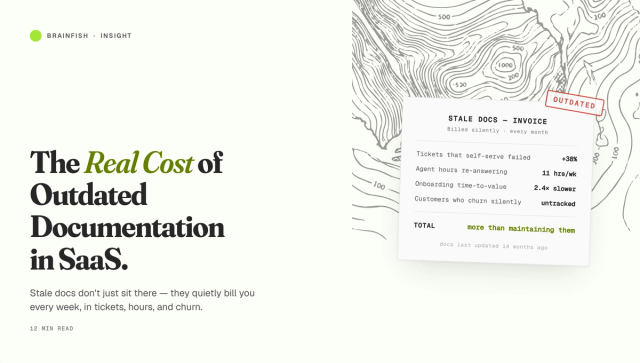
Knowledge is getting stale. Your product ships fast and your documentation can't keep up. The AI is confidently referencing old workflows. That's a knowledge freshness problem.
Different AI agents give different answers. Your help center AI, your support chatbot, and your agent assist tool are all pulling from different sources and giving inconsistent answers. A unified knowledge layer solves this.
You can't see which questions aren't being answered. You know your deflection rate, but not which specific questions are failing. A knowledge base with proper analytics surfaces this.
The Failure Pattern
The most common failure mode: teams buy a chatbot expecting it to be smart, and it isn't — because the knowledge behind it is poorly structured, stale, or insufficient.
The intuitive fix is to try a different chatbot. The correct fix is usually to improve the knowledge layer.
Chatbots are largely commoditized at the conversation layer — the major platforms (Intercom, Zendesk, Freshdesk) all produce coherent, contextual responses. What differentiates them is retrieval quality, which is a function of what knowledge they're drawing from.
A better chatbot on bad knowledge is still a bad experience. The same chatbot on well-structured, validated knowledge performs dramatically better.
The Right Architecture
For most SaaS support teams, the right architecture is:
Layer 1 — Knowledge base (Brainfish): Structured, validated, current knowledge. Powers both human-facing self-service (help center, in-product widget) and AI agents (via API). Proactively surfaces freshness risks. Provides analytics on what's not getting answered.
Layer 2 — Chatbot (Intercom, Zendesk, or custom): Conversation interface that queries the knowledge layer. Handles escalation, routing, and multi-turn conversations. Draws its answers from the structured knowledge layer rather than raw documents.
Brainfish + your existing chatbot is a common pattern: you keep the conversation interface you've already built (or that your team is familiar with), and you upgrade the knowledge layer that powers it.
Making the Decision
Ask yourself:
Are our AI answers accurate? If no → knowledge base problem.
Are we getting meaningful deflection at all? If no, with good content → conversation layer problem.
Are customers abandoning the AI experience? If yes → likely a combination of both.
Is our documentation keeping up with the product? If no → knowledge freshness problem.
Most teams find the knowledge layer is the binding constraint. That's where to invest first.
The Bottom Line
A chatbot is the interface. A knowledge base is the source of truth. You need both, but if you can only fix one thing first, fix the thing that's causing your AI to give wrong answers — because no amount of conversational polish compensates for inaccurate retrieval.
For most SaaS support teams in 2026, the knowledge layer is the bottleneck. That's Brainfish's problem to solve.
See what happens when AI support is built on a knowledge layer that actually works. Book a demo →