Posts

What Is an AI Agent Knowledge Base?

Published on

April 6, 2026

Bubble
Bubble
Bubble
Bubble
Bubble
Bubble
Bubble
Bubble
Bubble
Bubble
Bubble
Bubble
Bubble
Bubble
Bubble
Bubble
Bubble
Bubble
Bubble
Bubble
Bubble
Bubble
What Is an AI Agent Knowledge Base?

What Is an AI Agent Knowledge Base?Quick answer: An AI agent knowledge base is a structured, machine-readable repository that an AI agent queries in real time to answer questions and execute tasks. It differs from a traditional knowledge base in that it is designed for programmatic retrieval — not human browsing — and must stay automatically current as the underlying product changes.AI agents are only as good as the knowledge they can access. Build a flawed knowledge base and your AI agent hallucinates, misroutes, or confidently answers the wrong question. Build a strong one, and your agent resolves issues end-to-end without human intervention.

But what exactly is an AI agent knowledge base, how does it differ from a standard knowledge base, and what does it take to build one that actually works in production?

This guide explains.

The short definition

An AI agent knowledge base is a structured, continuously updated repository of information that an AI agent queries in real time to answer questions, execute tasks, and make decisions. Unlike a static knowledge base that humans browse, an AI agent knowledge base is designed to be machine-readable, semantically indexed, and fast enough to respond to dynamic queries in milliseconds.

It is the memory of your AI agent — not the LLM's training data, which is fixed, but the live, product-specific knowledge the agent needs to do useful work for your users and team.

Related reading: If you're new to this topic, start with What Is an AI Knowledge Base? The Complete Guide for the foundational definition.

AI agent knowledge base vs standard knowledge base

A traditional knowledge base is built for humans: it's organized for browsing, searching with keywords, and reading articles one by one. An AI agent knowledge base is built for machines: it needs to be queried semantically, processed programmatically, and returned in a structured format that the agent can reason over.

Here's the core difference in practice:

Traditional knowledge base

  • Humans search with keywords
  • Articles are read start-to-finish
  • Structured for skimmability (headers, bullets)
  • Updated manually when someone notices content is stale
  • Accuracy matters for human comprehension

AI agent knowledge base

  • Agents query by meaning and intent, not keyword matching
  • Relevant passages are extracted and ranked, not articles read in full
  • Structured for retrieval (semantic chunks, metadata, source tags)
  • Must be updated automatically as the product changes, or agent answers drift
  • Accuracy is critical: a wrong answer from an agent isn't a misread article, it's a failed resolution

The failure mode of each is also different. A human reading a stale help article might notice the UI looks wrong and double-check. An AI agent has no such intuition — it retrieves the stale content, constructs a confident answer from it, and presents it to the user as fact.

Why most AI agents underperform: the knowledge problem

The most common reason AI agents fail in production isn't the model. It's the knowledge underneath.

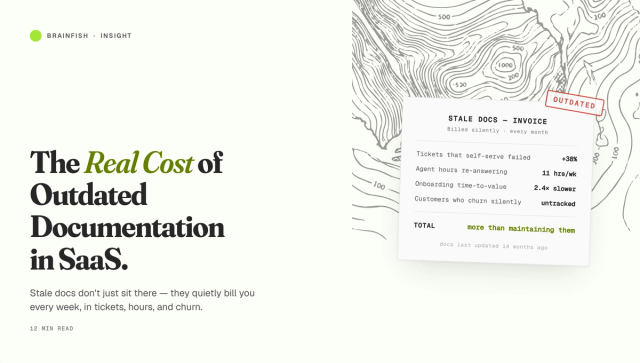
Consider the typical setup: a company deploys an AI agent connected to its existing knowledge base — a collection of help articles, PDFs, Confluence pages, and Slack threads written for humans and maintained irregularly. The agent starts answering questions using that content. Early demos look impressive. Then the product ships a new feature, the pricing changes, or an integration breaks. The knowledge base doesn't update automatically. The agent keeps answering based on what was true three months ago.

This is knowledge drift. It's not a retrieval problem — the agent is retrieving correctly. It's a freshness problem: the source of truth is no longer true. RAG accuracy degradation in production is one of the most common causes of AI agent failure that teams don't diagnose until after it's visible in support metrics.

A well-designed AI agent knowledge base solves this with automatic update cycles that detect product changes and regenerate or flag affected content before the agent can retrieve stale information.

The components of a strong AI agent knowledge base

Building a knowledge base that powers reliable AI agents requires more than uploading your existing docs. The following components are what separate production-grade knowledge bases from proof-of-concept ones.

1. Semantic chunking

Documents need to be split into chunks that are semantically coherent — not just divided by character count. A chunk that contains half a procedure and half a pricing table will confuse retrieval. Chunks should map to discrete concepts, steps, or facts.

2. Rich metadata

Every chunk should carry metadata: source document, last updated date, product area, audience (customer, internal team, developer), and confidence score if applicable. This metadata allows agents to filter retrieval by context — answering a customer question differently than an internal agent ticket.

3. Automatic freshness detection

The knowledge base needs a mechanism to detect when source content changes — whether that's a product update, a new policy, or a revised pricing page — and flag or regenerate affected chunks. Manual update cycles break down at scale.

4. Conflict resolution

Real knowledge bases contain contradictions: an old help article says the integration works one way; a newer Slack thread says it was changed. The AI agent knowledge base needs to identify and resolve these conflicts before surfacing content to the agent, not leave the agent to pick one arbitrarily.

5. Audience-aware delivery

The same underlying fact may need to be expressed differently for a customer vs an internal support agent vs a developer. An AI agent knowledge base should support audience segmentation so the same query returns appropriately framed answers depending on who (or what) is asking.

What AI agents actually do with a knowledge base

When an AI agent receives a query, the typical flow is:

  1. Query encoding — the user's question is converted into a semantic vector
  2. Retrieval — the knowledge base is searched for semantically similar chunks
  3. Ranking — retrieved chunks are ranked by relevance, recency, and confidence
  4. Context assembly — the top-ranked chunks are assembled into a prompt context
  5. Generation — the LLM generates an answer grounded in the retrieved context
  6. Action (optional) — for agentic workflows, the answer may trigger an API call, a ticket update, or a workflow step

At every step, the quality of the knowledge base determines the quality of the output. Retrieval is only as good as what's in the index. Generation is only as accurate as what retrieval returns.

When do you need an AI agent knowledge base?

You need a purpose-built AI agent knowledge base rather than just "connecting your docs" when:

  • Your product changes frequently. If you ship weekly, your knowledge base needs to keep pace or your agent will confidently answer based on last month's product.
  • You serve multiple audiences. Customers, internal teams, and developers need different answers to similar questions. Audience-aware retrieval prevents the wrong answer reaching the wrong person.
  • Your knowledge is spread across multiple systems. Confluence, Notion, Zendesk, Slack, Gong recordings — a unified knowledge base ingests all of these into a single, deduplicated, conflict-resolved index.
  • You're scaling support without scaling headcount. Every hallucination or wrong answer from an AI agent creates a ticket, an escalation, or a frustrated user. Accuracy at scale requires knowledge infrastructure, not just a capable model.
  • You've already tried connecting your existing docs and found it doesn't work. This is the most common trigger. The demo worked. Production didn't. The knowledge is the problem.

The knowledge layer concept

The most reliable approach to AI agent knowledge infrastructure isn't building a better static knowledge base — it's building a knowledge layer that sits between your source content and your AI agents, continuously ingesting, structuring, deduplicating, and freshening the knowledge your agents retrieve.

This shifts the maintenance burden from "someone needs to update the knowledge base" to "the system detects changes and updates automatically." For teams deploying AI agents across customer support, internal operations, or developer tooling, this is the architecture that makes agents reliable in production rather than impressive only in demos.

Learn more about how Brainfish's AI Knowledge Layer powers agents across every channel your customers and teams use.

Key takeaways

  • An AI agent knowledge base is machine-readable, semantically indexed, and designed for programmatic retrieval — not human browsing
  • The most common cause of AI agent failure isn't the model: it's stale, fragmented, or contradictory knowledge in the retrieval layer
  • A production-grade knowledge base requires semantic chunking, rich metadata, automatic freshness detection, conflict resolution, and audience-aware delivery
  • Teams that ship frequently need knowledge infrastructure that keeps pace with the product — manual update cycles don't scale

Want to understand how AI knowledge bases work at the foundational level? Read What Is an AI Knowledge Base? The Complete Guide.
import time
import requests
from opentelemetry import trace, metrics
from opentelemetry.sdk.trace import TracerProvider
from opentelemetry.sdk.metrics import MeterProvider
from opentelemetry.sdk.trace.export import ConsoleSpanExporter, SimpleSpanProcessor
from opentelemetry.sdk.metrics.export import ConsoleMetricExporter, PeriodicExportingMetricReader

# --- 1. OpenTelemetry Setup for Observability ---
# Configure exporters to print telemetry data to the console.
# In a production system, these would export to a backend like Prometheus or Jaeger.
trace.set_tracer_provider(TracerProvider())
tracer = trace.get_tracer(__name__)
span_processor = SimpleSpanProcessor(ConsoleSpanExporter())
trace.get_tracer_provider().add_span_processor(span_processor)

metric_reader = PeriodicExportingMetricReader(ConsoleMetricExporter())
metrics.set_meter_provider(MeterProvider(metric_readers=[metric_reader]))
meter = metrics.get_meter(__name__)

# Create custom OpenTelemetry metrics
agent_latency_histogram = meter.create_histogram("agent.latency", unit="ms", description="Agent response time")
agent_invocations_counter = meter.create_counter("agent.invocations", description="Number of times the agent is invoked")
hallucination_rate_gauge = meter.create_gauge("agent.hallucination_rate", unit="percentage", description="Rate of hallucinated responses")
pii_exposure_counter = meter.create_counter("agent.pii_exposure.count", description="Count of responses with PII exposure")

# --- 2. Define the Agent using NeMo Agent Toolkit concepts ---
# The NeMo Agent Toolkit orchestrates agents, tools, and workflows, often via configuration.
# This class simulates an agent that would be managed by the toolkit.
class MultimodalSupportAgent:
    def __init__(self, model_endpoint):
        self.model_endpoint = model_endpoint

    # The toolkit would route incoming requests to this method.
    def process_query(self, query, context_data):
        # Start an OpenTelemetry span to trace this specific execution.
        with tracer.start_as_current_span("agent.process_query") as span:
            start_time = time.time()
            span.set_attribute("query.text", query)
            span.set_attribute("context.data_types", [type(d).__name__ for d in context_data])

            # In a real scenario, this would involve complex logic and tool calls.
            print(f"\nAgent processing query: '{query}'...")
            time.sleep(0.5) # Simulate work (e.g., tool calls, model inference)
            agent_response = f"Generated answer for '{query}' based on provided context."
            
            latency = (time.time() - start_time) * 1000
            
            # Record metrics
            agent_latency_histogram.record(latency)
            agent_invocations_counter.add(1)
            span.set_attribute("agent.response", agent_response)
            span.set_attribute("agent.latency_ms", latency)
            
            return {"response": agent_response, "latency_ms": latency}

# --- 3. Define the Evaluation Logic using NeMo Evaluator ---
# This function simulates calling the NeMo Evaluator microservice API.
def run_nemo_evaluation(agent_response, ground_truth_data):
    with tracer.start_as_current_span("evaluator.run") as span:
        print("Submitting response to NeMo Evaluator...")
        # In a real system, you would make an HTTP request to the NeMo Evaluator service.
        # eval_endpoint = "http://nemo-evaluator-service/v1/evaluate"
        # payload = {"response": agent_response, "ground_truth": ground_truth_data}
        # response = requests.post(eval_endpoint, json=payload)
        # evaluation_results = response.json()
        
        # Mocking the evaluator's response for this example.
        time.sleep(0.2) # Simulate network and evaluation latency
        mock_results = {
            "answer_accuracy": 0.95,
            "hallucination_rate": 0.05,
            "pii_exposure": False,
            "toxicity_score": 0.01,
            "latency": 25.5
        }
        span.set_attribute("eval.results", str(mock_results))
        print(f"Evaluation complete: {mock_results}")
        return mock_results

# --- 4. The Main Agent Evaluation Loop ---
def agent_evaluation_loop(agent, query, context, ground_truth):
    with tracer.start_as_current_span("agent_evaluation_loop") as parent_span:
        # Step 1: Agent processes the query
        output = agent.process_query(query, context)

        # Step 2: Response is evaluated by NeMo Evaluator
        eval_metrics = run_nemo_evaluation(output["response"], ground_truth)

        # Step 3: Log evaluation results using OpenTelemetry metrics
        hallucination_rate_gauge.set(eval_metrics.get("hallucination_rate", 0.0))
        if eval_metrics.get("pii_exposure", False):
            pii_exposure_counter.add(1)
        
        # Add evaluation metrics as events to the parent span for rich, contextual traces.
        parent_span.add_event("EvaluationComplete", attributes=eval_metrics)

        # Step 4: (Optional) Trigger retraining or alerts based on metrics
        if eval_metrics["answer_accuracy"] < 0.8:
            print("[ALERT] Accuracy has dropped below threshold! Triggering retraining workflow.")
            parent_span.set_status(trace.Status(trace.StatusCode.ERROR, "Low Accuracy Detected"))

# --- Run the Example ---
if __name__ == "__main__":
    support_agent = MultimodalSupportAgent(model_endpoint="http://model-server/invoke")
    
    # Simulate an incoming user request with multimodal context
    user_query = "What is the status of my recent order?"
    context_documents = ["order_invoice.pdf", "customer_history.csv"]
    ground_truth = {"expected_answer": "Your order #1234 has shipped."}

    # Execute the loop
    agent_evaluation_loop(support_agent, user_query, context_documents, ground_truth)
    
    # In a real application, the metric reader would run in the background.
    # We call it explicitly here to see the output.
    metric_reader.collect()

Frequently Asked Questions

What is the difference between an AI agent knowledge base and an AI copilot?

An AI copilot is a tool that surfaces knowledge to a human in real time — usually a support agent or internal team member — to help them respond faster and more accurately. Both rely on the same underlying knowledge base. The knowledge layer powers both the customer-facing agent and the internal copilot from a single source of truth.

How much content does an AI agent knowledge base need to be effective?

Quality matters more than volume. A knowledge base with 200 accurate, current, well-structured articles will outperform one with 2,000 stale or contradictory ones. Start with the knowledge that covers your highest-volume queries and build from there — don't try to migrate everything at once.

What happens when an AI agent can't find the answer in its knowledge base?

A well-configured agent should acknowledge when it doesn't have a confident answer and either escalate to a human, prompt the user to contact support, or return a confidence-qualified response. The worst outcome — confident answers based on partial or stale knowledge — is what proper knowledge base design prevents.

Can an AI agent use multiple knowledge bases?

Yes. Most production deployments retrieve from multiple sources — a help centre, an internal wiki, a ticketing system, call recordings. The challenge is deduplication and conflict resolution: when two sources say different things, the agent needs a mechanism to resolve the conflict rather than picking arbitrarily. A knowledge layer handles this before content reaches the agent.

What is RAG and how does it relate to an AI agent knowledge base?

RAG (Retrieval-Augmented Generation) is the technique AI agents use to ground their answers in specific knowledge rather than relying solely on the model's training data. The AI agent knowledge base is what gets retrieved — it is the retrieval layer in RAG. The quality of the knowledge base determines the quality of every RAG-based answer.

How does an AI agent knowledge base stay up to date?

A well-designed AI agent knowledge base monitors source content — product documentation, help articles, internal wikis — for changes. When something changes, the system automatically regenerates or flags the affected knowledge chunks. This is what separates a production-grade knowledge base from one that looks good in demos and degrades in the weeks after deployment.

## **What is the difference between an AI agent knowledge base and a vector database?**

A vector database is one component of an AI knowledge base — it stores and indexes the semantic embeddings used for retrieval. An AI agent knowledge base is the full system: ingestion pipelines, chunking logic, metadata, conflict resolution, freshness detection, and the vector store. Calling a vector database an AI knowledge base is like calling a filing cabinet a knowledge management system.

Share this post
by 
Daniel Kimber
April 6, 2026
CEO & Co-founder, Brainfish

Recent Posts...