Note: Names and identifying details have been changed to maintain confidentiality while preserving the insights from this conversation.
A product leader at a rapidly growing marketplace platform recently shared a challenge that perfectly captures the modern SaaS dilemma: "We're pushing out daily, weekly releases at a speed at which our success teams ultimately can't keep up with."
The company, fresh off closing their Series A, operates a two-sided marketplace connecting customers with professional guides across every US state and multiple countries. With 5,000 guides on the platform and 95% of product development focused on their vertical SaaS tools and AI technology, the gap between product velocity and user education had become critical.
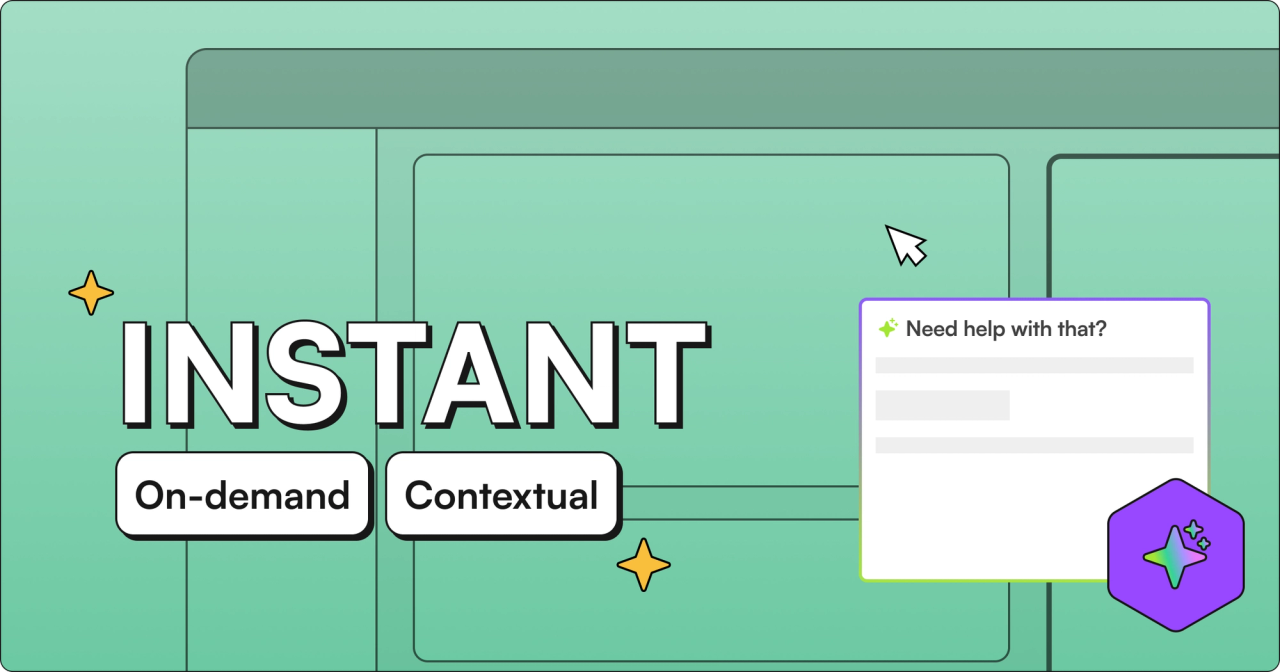
"People need help in real time," the co-founder explained. "You can't wait for all these checks and balances to come into play, get the perfect videos, get the perfect screenshots. When they're using the product and see something during that experience, they want to know what it is right away."
The Documentation Trap That Catches Growing Startups
Despite having recently hired their first product marketing manager, the company found themselves in a familiar trap. The marketing team couldn't keep pace with product releases. The guide success team was operating at "120% capacity" - constantly on calls, walking guides through features one by one. Their Zendesk knowledge base sat largely unused and unmaintained.
"Guides don't really read," the product leader noted candidly. "They're not gonna go to a separate place. They want it in product. They want it on demand. They're a different breed."
This creates a vicious cycle for growing startups. Every dollar needs to go toward growth and product development, not endless support headcount. Yet without proper product education, adoption suffers, churn increases, and the support team drowns in repetitive questions.
The company's CRM data told the story: despite having Zendesk and HubSpot, they were "so on the phone" that they weren't truly digital with their support. Each guide required personal attention, making scaling to their next growth milestone seemingly impossible without massive hiring.
When Analytics Reveals the Real Problem
During the conversation, an interesting insight emerged about the nature of support requests. "When you're always hearing stuff from a success team, it's always about wants. It's always about future roadmap," the leader observed. "But when they're in the product, it's about something completely different."
This distinction matters enormously for product teams. Support tickets and success team feedback tend to focus on feature requests and wishlist items. But actual in-product questions reveal where users are genuinely stuck - the friction points that directly impact retention and adoption.
"This really mitigates and minimizes ultimately the noise, and it focuses in on how do you perfect what is there versus just all these needs and wants that aren't super conducive to lower churn, higher retention, stickiness values."
The realization: they needed first-party data about what users actually struggled with, not filtered feedback about what they thought they wanted.
The 10-Minute Solution to Weeks of Documentation
The breakthrough came when the product leader saw a demonstration of video-to-documentation technology. A single 10-minute product walkthrough could generate 15-20 detailed help articles, each with embedded video snippets showing exactly the relevant portions.
"You can basically just go and do a 10-minute walkthrough video of your entire platform, upload it, and then suddenly you've got a whole knowledge base," they realized.
For a team releasing features daily and weekly, this changed everything. Product managers could record quick Loom videos of new features during development. Those videos would automatically transform into structured documentation with step-by-step instructions, FAQs, and troubleshooting guides.
Even more compelling: the documentation would include rich media directly in the answers. Users wouldn't just read about how to complete a task - they'd see the exact screenshots and video snippets showing them where to click and what to expect.
Solving for Different User Types at Scale
The platform's 5,000 guides weren't a monolithic group. They operated across different states with varying regulations, had different technical capabilities, and used the platform in fundamentally different ways.
"You might have state-based guides," the leader noted. "So maybe depending on the state, you might have a different set of instructions. You might have admin users versus regular users."
Traditional documentation can't handle this complexity without becoming an unmaintainable mess. But with automated knowledge generation from session recordings and product videos, the company could create personalized knowledge bases for different user segments without additional manual work.
The technology would map their entire platform automatically, learning from actual user behavior and product changes. Combined with the ability to connect multiple data sources - their website, Google Drive documents, internal wikis, even competitor sites for competitive intelligence - they could finally provide comprehensive, contextual help.
The ROI Calculation That Changes Everything
When discussing pricing, the product leader's initial reaction was honest: "Platform fee is pretty high investment. I won't lie."
But the real calculation wasn't the platform cost versus nothing - it was platform cost versus the true expense of the status quo:
- The salary of additional support staff they'd need to hire
- The opportunity cost of guides churning due to poor onboarding
- The product team's time spent on support instead of development
- The hidden cost of slow feature adoption
"If you had to hire a full-time person to go and actually do all of this, it would cost you way more," became the key realization.
For a Series A startup where "every dollar matters," the investment in automated knowledge generation wasn't just about efficiency - it was about making their existing team capable of supporting 10x growth without 10x headcount.
Implementation Without Disruption
Perhaps most critically for a team "in the middle of releasing a big beta AI release," the implementation required minimal effort. One line of code to add in-product help. Existing documentation could be imported immediately. Videos could be uploaded as they were created.
"We will do most of the work," was the promise that mattered. For a product leader whose calendar was "the worst in the whole organization," who took "two vacations a year, and by vacations, I mean a day," the ability to solve the documentation problem without a massive project was essential.
The trial would include the head of guide success and the product lead - the people who understood both the user pain and the technical requirements. They'd test uploading videos, creating knowledge bases, and most importantly, see if guides actually used the in-product help.
The Future of Product Education
This conversation reveals a fundamental shift happening in how companies approach product education. Instead of treating documentation as a post-release afterthought, forward-thinking teams are recognizing that instant, contextual education is as important as the features themselves.
For marketplaces and platforms managing thousands of users with varying needs, the old model of static help centers and one-size-fits-all documentation simply doesn't work. These companies need dynamic, personalized knowledge that evolves with their product and scales with their user base.
The technology now exists to transform how companies do product releases. Record a walkthrough during development, and documentation is ready at launch. Analyze real user questions to understand adoption blockers. Create personalized help experiences for different user segments without multiplying manual work.
For this growing marketplace, with 5,000 guides and counting, the path forward was clear: stop trying to manually document a product that changes daily, and start letting the product document itself.