
Posts

What We Learned from Analyzing 1M Support Interactions: Patterns That Matter

Published on

September 4, 2025

Bubble
Bubble
Bubble
Bubble
Bubble
Bubble
Bubble
Bubble
Bubble
Bubble
Bubble
Bubble
Bubble
Bubble
Bubble
Bubble
Bubble
Bubble
Bubble
Bubble
Bubble
Bubble
What We Learned from Analyzing 1M Support Interactions: Patterns That Matter

When users need help, they rarely write perfect questions - often typing just a single word like "delivery?" Our analysis of one million support interactions revealed patterns about how people actually seek assistance and what it takes to truly help them.

"delivery?"

That single word, followed by a question mark, appears daily in our support system.

A user somewhere has a problem to solve, but they've expressed it in the briefest possible way.

After analyzing one million support interactions, we discovered that these minimal queries reveal an interesting pattern about how users actually seek help and what it takes to truly assist them.

Turning One Word into Understanding
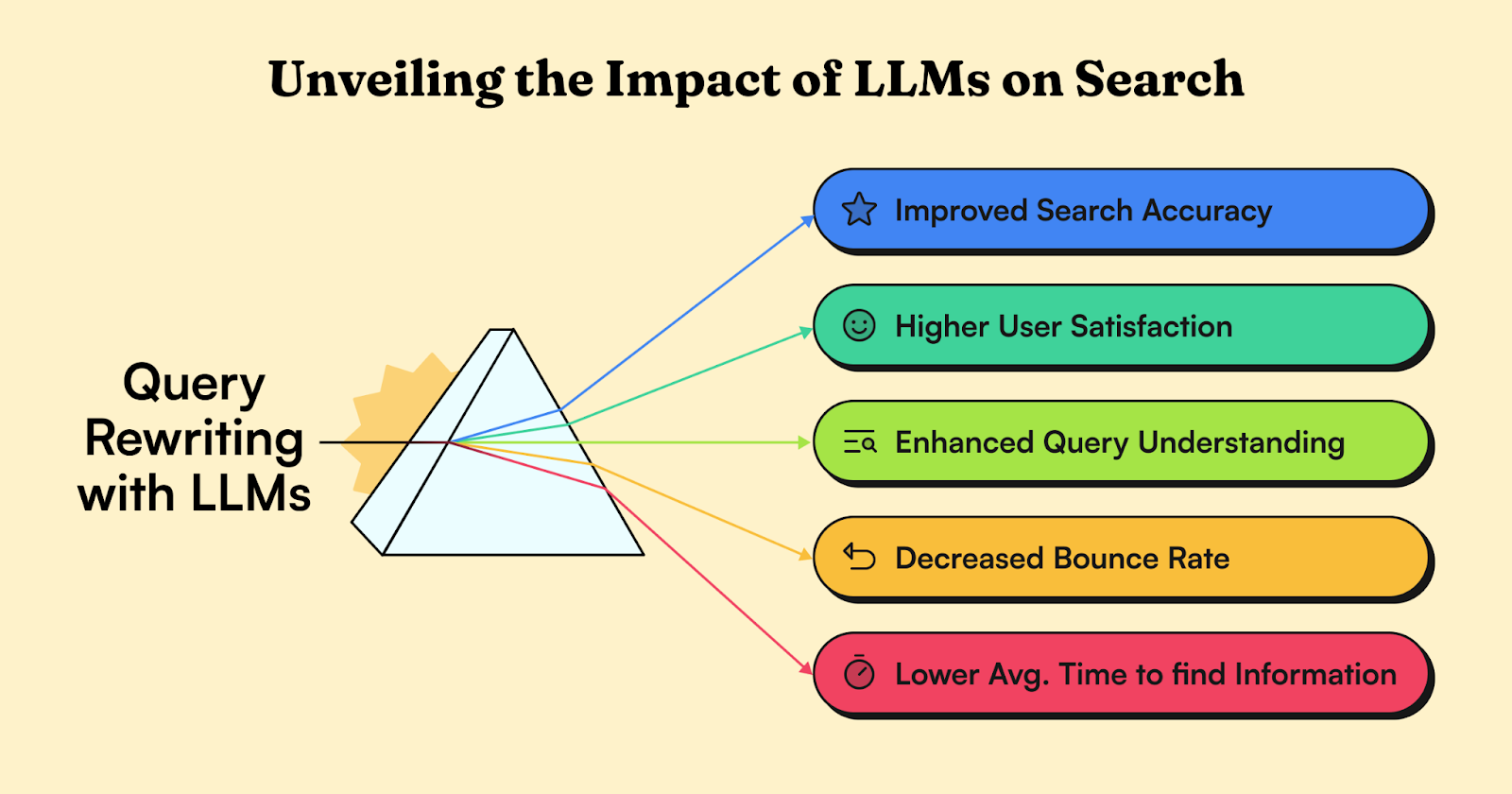
People don't write perfect questions when they need help. They type things like "delivery?" or "how return product?" and hope for the best. For our support system, understanding these quick questions was tough, especially since what they meant could change completely depending on the industry.

Jay saw an opportunity here. Using AI language models, he built something clever: a system that understands what users are really asking. When someone types "how refund work?", it knows they mean "What is the refund process for purchased items?"

But the real breakthrough came with sector-specific personalization.

In the fashion industry, when a user types "returns?", the system rewrites it to "What is the return policy for unworn clothing items?" That same query in a tech context becomes "How can I return a defective gadget for repair?" This sector-specific understanding ensures users receive the most relevant information for their specific industry context.

The impact was great. Users began independently finding the answers they sought, leading to a 15% increase in self-resolution rates. Average search sessions became shorter which signaled quicker information retrieval. Bounce rates dropped significantly as users consistently found satisfying answers, and the rate of query ambiguity plummeted.

Building Guardrails That Don't Feel Like Walls
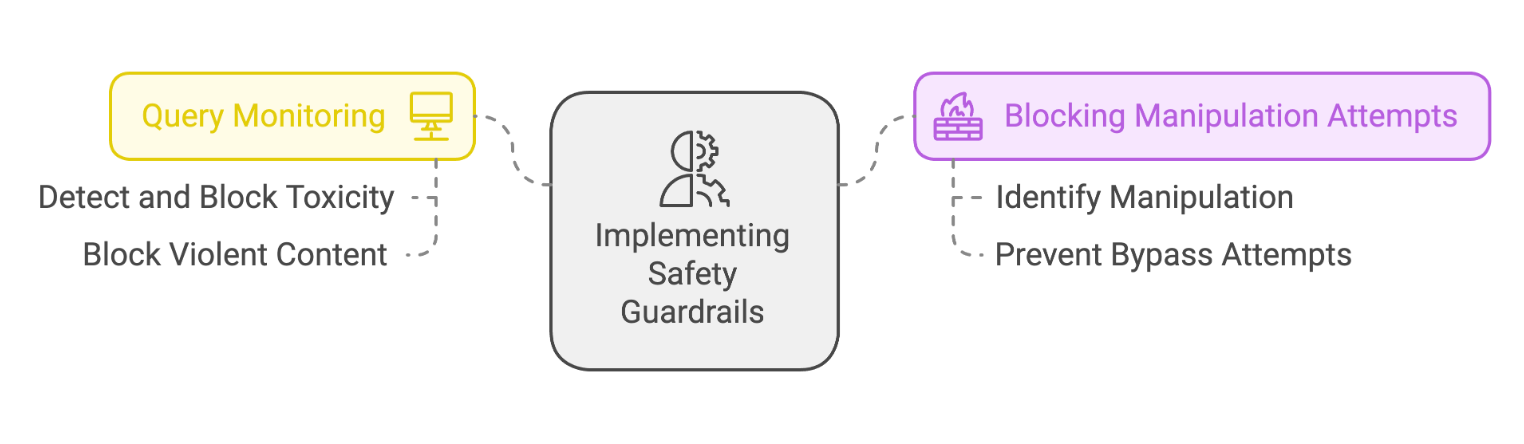
As AI systems grow more powerful, they face challenging security concerns. Users try to find loopholes, either through direct requests for inappropriate content or clever tricks like using translations to bypass filters. Traditional security methods – keyword filters and static rules – proved insufficient for these modern challenges.

Khushi developed a security system that works the way human security teams do. Instead of simple pattern recognition, she built dual-layer protection that understands the deeper meaning behind user interactions. The first layer analyzes incoming requests, examining context and intent alongside keywords. The second layer reviews outgoing responses, ensuring they follow ethical guidelines while still providing valuable information.

Internal tests demonstrated significant progress. The system effectively prevents harmful content creation while reducing successful manipulation attempts – all without sacrificing the natural feel of user interactions.

Finding the Perfect Response Length
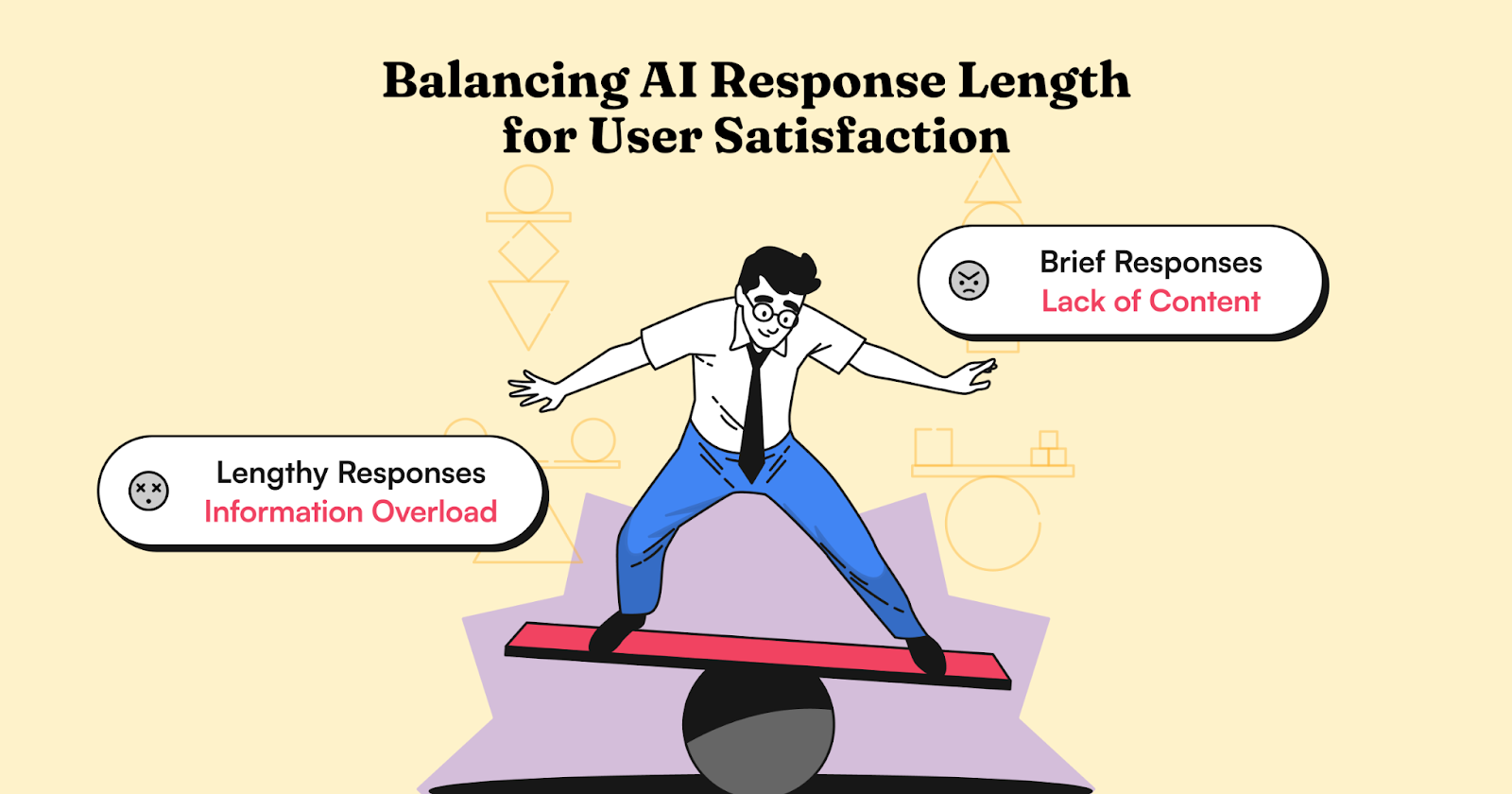
Our analysis revealed a critical insight about AI communication: response length significantly impacts how users engage and solve problems. Lengthy responses overwhelm users with unnecessary details that reduce engagement and slow down problem-solving. Conversely, overly brief responses often lack sufficient context, leaving users frustrated with incomplete information.

Like human experts who adapt their explanations to their audience, we created a dynamic response system that adjusts to different domain personas. The system analyzes real examples of human interactions to determine optimal response length based on each domain's typical needs and expectations. Complex topics receive thorough explanations, while simpler ones get concise answers.

The results showed a substantial improvement in AI communication. Users now receive responses with precisely the right amount of detail for their needs, leading to more efficient and satisfying interactions. The system handles complex topics while maintaining clarity, effectively serving diverse information needs across various domains.

Making Intent Actionable
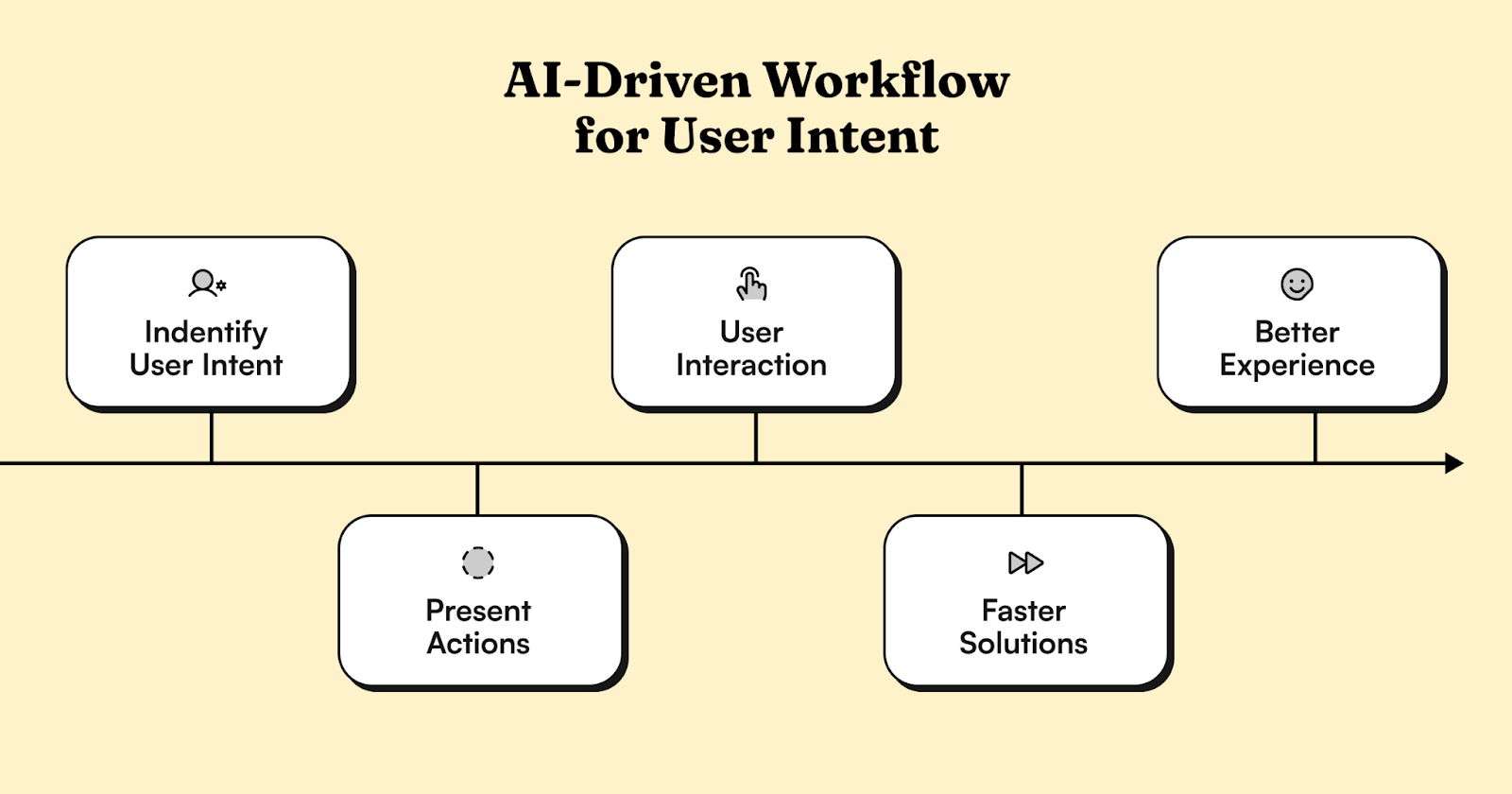
In AI systems, there's often a fundamental disconnect between understanding what users want and helping them take action. When users express a need, they typically get information rather than the ability to act.

We developed a system that maps user intent directly to specific actions. When the AI grasps what a user wants, it not only provides an answer but offers an immediate path forward. For example, instead of just receiving instructions, users get a direct link to view their recent activity.

Ensuring Uninterrupted Service
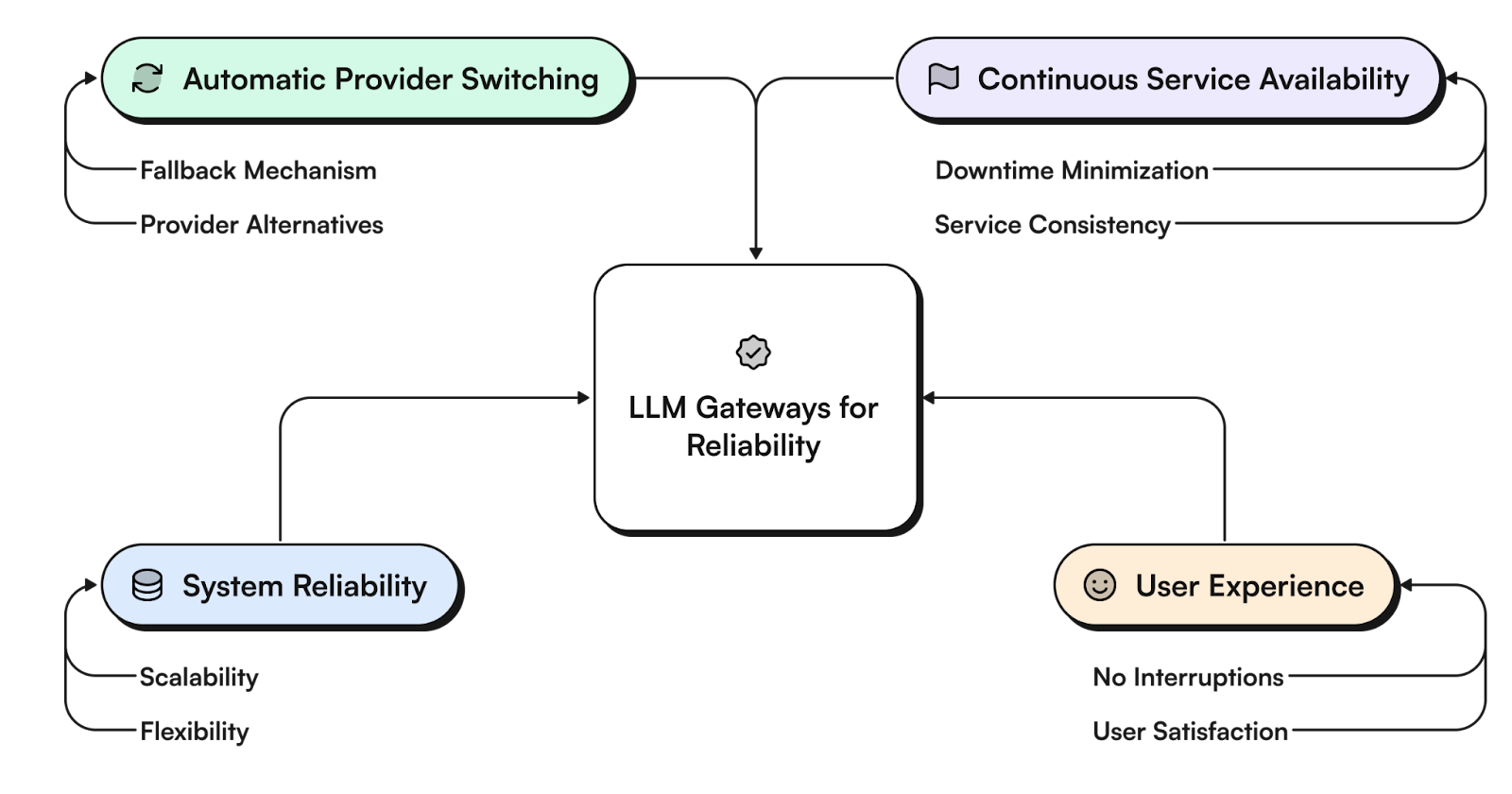
AI systems that rely on a single LLM provider face significant risks. When that provider experiences downtime, performance issues, or other disruptions, the entire system can fail. It's similar to having a business that depends entirely on one supplier. If that supplier has problems, everything grinds to a halt.

Our solution was an intelligent gateway system that acts like a smart traffic controller for LLM requests. It constantly monitors each provider's performance, tracking response times, error rates, and availability. When issues are detected, it makes instant routing decisions based on predefined criteria, seamlessly redirecting traffic to alternative providers.

The switching happens behind the scenes, without any noticeable interruption in service – like a building switching to backup power without the lights flickering. This approach has transformed how we handle provider disruptions, making service interruptions rare and brief when they do occur.

Looking Forward
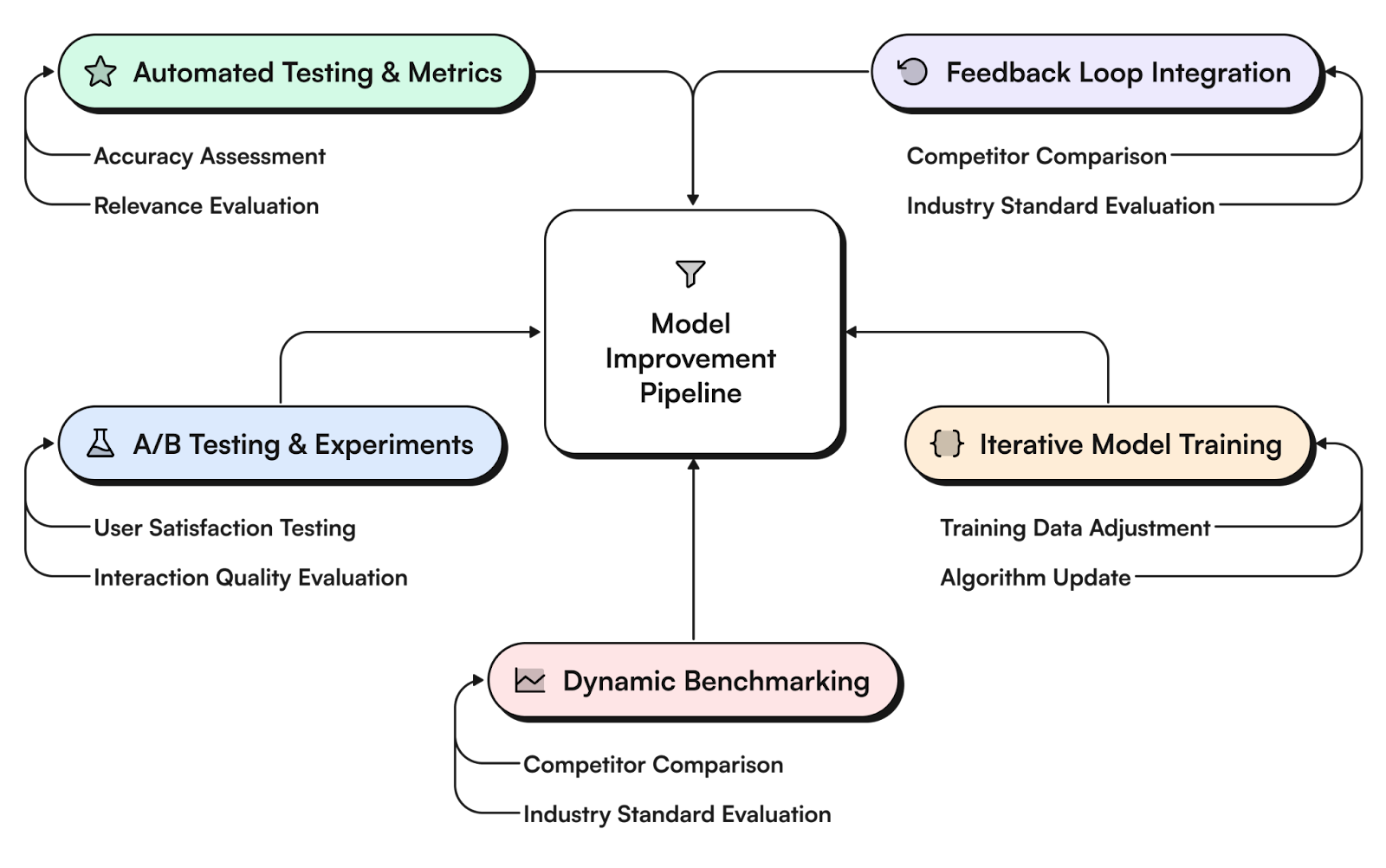
Our analysis of one million interactions revealed how to make AI support truly helpful. By focusing on metrics that matter – like successful task completion and customer effort scores – we're moving beyond simple automation and chatbots.

The sophisticated engineering behind these capabilities, from LLM gateways to dynamic response optimization, serves a simple goal: making every interaction as helpful as possible.


import time
import requests
from opentelemetry import trace, metrics
from opentelemetry.sdk.trace import TracerProvider
from opentelemetry.sdk.metrics import MeterProvider
from opentelemetry.sdk.trace.export import ConsoleSpanExporter, SimpleSpanProcessor
from opentelemetry.sdk.metrics.export import ConsoleMetricExporter, PeriodicExportingMetricReader

# --- 1. OpenTelemetry Setup for Observability ---
# Configure exporters to print telemetry data to the console.
# In a production system, these would export to a backend like Prometheus or Jaeger.
trace.set_tracer_provider(TracerProvider())
tracer = trace.get_tracer(__name__)
span_processor = SimpleSpanProcessor(ConsoleSpanExporter())
trace.get_tracer_provider().add_span_processor(span_processor)

metric_reader = PeriodicExportingMetricReader(ConsoleMetricExporter())
metrics.set_meter_provider(MeterProvider(metric_readers=[metric_reader]))
meter = metrics.get_meter(__name__)

# Create custom OpenTelemetry metrics
agent_latency_histogram = meter.create_histogram("agent.latency", unit="ms", description="Agent response time")
agent_invocations_counter = meter.create_counter("agent.invocations", description="Number of times the agent is invoked")
hallucination_rate_gauge = meter.create_gauge("agent.hallucination_rate", unit="percentage", description="Rate of hallucinated responses")
pii_exposure_counter = meter.create_counter("agent.pii_exposure.count", description="Count of responses with PII exposure")

# --- 2. Define the Agent using NeMo Agent Toolkit concepts ---
# The NeMo Agent Toolkit orchestrates agents, tools, and workflows, often via configuration.
# This class simulates an agent that would be managed by the toolkit.
class MultimodalSupportAgent:
    def __init__(self, model_endpoint):
        self.model_endpoint = model_endpoint

    # The toolkit would route incoming requests to this method.
    def process_query(self, query, context_data):
        # Start an OpenTelemetry span to trace this specific execution.
        with tracer.start_as_current_span("agent.process_query") as span:
            start_time = time.time()
            span.set_attribute("query.text", query)
            span.set_attribute("context.data_types", [type(d).__name__ for d in context_data])

            # In a real scenario, this would involve complex logic and tool calls.
            print(f"\nAgent processing query: '{query}'...")
            time.sleep(0.5) # Simulate work (e.g., tool calls, model inference)
            agent_response = f"Generated answer for '{query}' based on provided context."
            
            latency = (time.time() - start_time) * 1000
            
            # Record metrics
            agent_latency_histogram.record(latency)
            agent_invocations_counter.add(1)
            span.set_attribute("agent.response", agent_response)
            span.set_attribute("agent.latency_ms", latency)
            
            return {"response": agent_response, "latency_ms": latency}

# --- 3. Define the Evaluation Logic using NeMo Evaluator ---
# This function simulates calling the NeMo Evaluator microservice API.
def run_nemo_evaluation(agent_response, ground_truth_data):
    with tracer.start_as_current_span("evaluator.run") as span:
        print("Submitting response to NeMo Evaluator...")
        # In a real system, you would make an HTTP request to the NeMo Evaluator service.
        # eval_endpoint = "http://nemo-evaluator-service/v1/evaluate"
        # payload = {"response": agent_response, "ground_truth": ground_truth_data}
        # response = requests.post(eval_endpoint, json=payload)
        # evaluation_results = response.json()
        
        # Mocking the evaluator's response for this example.
        time.sleep(0.2) # Simulate network and evaluation latency
        mock_results = {
            "answer_accuracy": 0.95,
            "hallucination_rate": 0.05,
            "pii_exposure": False,
            "toxicity_score": 0.01,
            "latency": 25.5
        }
        span.set_attribute("eval.results", str(mock_results))
        print(f"Evaluation complete: {mock_results}")
        return mock_results

# --- 4. The Main Agent Evaluation Loop ---
def agent_evaluation_loop(agent, query, context, ground_truth):
    with tracer.start_as_current_span("agent_evaluation_loop") as parent_span:
        # Step 1: Agent processes the query
        output = agent.process_query(query, context)

        # Step 2: Response is evaluated by NeMo Evaluator
        eval_metrics = run_nemo_evaluation(output["response"], ground_truth)

        # Step 3: Log evaluation results using OpenTelemetry metrics
        hallucination_rate_gauge.set(eval_metrics.get("hallucination_rate", 0.0))
        if eval_metrics.get("pii_exposure", False):
            pii_exposure_counter.add(1)
        
        # Add evaluation metrics as events to the parent span for rich, contextual traces.
        parent_span.add_event("EvaluationComplete", attributes=eval_metrics)

        # Step 4: (Optional) Trigger retraining or alerts based on metrics
        if eval_metrics["answer_accuracy"] < 0.8:
            print("[ALERT] Accuracy has dropped below threshold! Triggering retraining workflow.")
            parent_span.set_status(trace.Status(trace.StatusCode.ERROR, "Low Accuracy Detected"))

# --- Run the Example ---
if __name__ == "__main__":
    support_agent = MultimodalSupportAgent(model_endpoint="http://model-server/invoke")
    
    # Simulate an incoming user request with multimodal context
    user_query = "What is the status of my recent order?"
    context_documents = ["order_invoice.pdf", "customer_history.csv"]
    ground_truth = {"expected_answer": "Your order #1234 has shipped."}

    # Execute the loop
    agent_evaluation_loop(support_agent, user_query, context_documents, ground_truth)
    
    # In a real application, the metric reader would run in the background.
    # We call it explicitly here to see the output.
    metric_reader.collect()
Share this post

Recent Posts...